
Review AI-Generated Lesson Content Before Send
A practical review process for AI-generated lesson emails: claims, citations, difficulty, tone, and approval gates that stop hallucinations.

Muhammad Abdul Sami
· 12 min read
- Teaching
- AI Review
- Learning
- HITL
Reviewing AI-generated lesson content is not copyediting. The model can be fluent, structured, and wrong in the same paragraph. If you send that paragraph as a lesson, you have taught a confident error. Email makes it worse: there is no comment thread on the live issue, no “this page was updated,” and the learner may screenshot the mistake into a personal wiki for a year.
This post is the operating procedure we use before any AI-written issue leaves the building — including issues drafted by Cadensend. Cadensend is MIT-licensed, self-hosted, and not a hosted newsletter product. It is not ConvertKit and not a bulk sender. It plans a curriculum from a learning goal, grounds writing in sources you supply, and holds issues in review until a human approves the send.
Key Takeaways:
- Review claims against sources first, prose second. Fluency is not evidence.
- Score each issue on five axes: faithfulness, coverage, difficulty, actionability, and email fitness.
- Require citations that resolve to real locations in your corpus, not “according to best practices.”
- Separate the writer from the reviewer. The generator cannot sign its own homework.
- Bound regeneration: fix the failing section, do not re-roll the whole lesson into a new set of errors.
- Track review outcomes so you can measure whether the email course taught anything besides open rate.
Table of Contents:
- Why lesson review is different from blog review
- The five-axis review score
- A pass you can run in 12 minutes
- Hallucinations that look like pedagogy
- Section-level regenerate, not whole-issue roulette
- Who reviews: solo, pair, team
- Tooling: Cadensend and the rest of the stack
- What to log so review gets cheaper
- Frequently Asked Questions
Why lesson review is different from blog review
A public blog post can be patched. An email issue is a snapshot. Learners who archive mail will keep the wrong version. That is why human-in-the-loop AI written courses treat approval as a state machine, not a vibe.
Lessons also have a contract the model does not automatically honor:
- One objective per issue. If the subject line promises “idempotent retries” and the body also invents a caching lecture, the curriculum order breaks.
- Prerequisite honesty. Issue 4 cannot assume issue 7. Planning graphs exist for this; reviewers still catch leaks.
- Doable practice. “Try this in production” is not a exercise. “Run this query on the staging replica” is.
- Email constraints. 800–1,200 words, one diagram, a plain-text equivalent, a subject that is not clickbait.
Marketing review asks “will they click?” Teaching review asks “if they only remember one sentence, is it true?” Those are different jobs. Mixing them is how educational products turn into drip campaigns.
If you are still shopping for writing tools, OpenClaw vs Claude Code is about coding assistants, not curricula. Use those tools to inspect the sources and the spec. Do not paste the entire lesson into chat and ask “is this good?” That question has no retrieval context and no rubric.
The five-axis review score
Score 0–2 on each axis. Ship at 8/10 or higher, with a hard fail on faithfulness.
| Axis | 0 | 1 | 2 |
|---|---|---|---|
| Faithfulness | Invented API, wrong default, fake quote | Hedged but sourced | Every claim maps to a cited chunk |
| Coverage | Misses the issue objective | Hits objective, skips an example | Objective + example + common failure |
| Difficulty | Assumes the wrong audience | Mixed; a paragraph jumps levels | Matches the series brief |
| Actionability | Pure lecture | Vague “consider using queues” | One concrete next action |
| Email fitness | Web-article length, broken images | Slightly long, subject OK | Scannable, alt text, plain-text part |
Faithfulness is non-negotiable because LLM hallucination is not rare in educational drafts. Models complete the shape of a lesson: definition, example, pitfall. The pitfall may be from a different product. The example may use a deprecated flag. The definition may be a neighboring concept with a similar name.
Coverage fails in the opposite direction: the model restates the objective three ways and never shows the failure mode that was the reason you wrote the issue. Reviewers should ask, “What will the learner do incorrectly tomorrow if this issue never existed?” If you cannot answer, the issue is padding.
Difficulty drift is how series die. Issue 1 is gentle. Issue 2 dumps Kubernetes internals because the retrieved chunk was a deep-dive RFC. Cadensend's planning graph validates prerequisite order; humans still have to reject a retrieved chunk that is true and off-level.
Actionability is where email teaching earns its keep versus a wiki dump. One command, one sketch, one reply-back question. Not five.
Email fitness includes SVG vs PNG diagrams, subject length, and whether the preheader spoils or supports the objective. It also includes not wrapping the whole lesson in a marketing template with 12 tracking pixels. Cadensend is not a blast tool; do not bolt blast aesthetics onto a lesson.
A pass you can run in 12 minutes
We timebox review so it actually happens.
Minutes 0–3: objective and subject. Read only the series objective, the issue objective, and the subject/preheader. If they disagree, stop. Do not polish a lesson that answers the wrong question. This is cheaper than reducing LLM costs after you have regenerated three times.
Minutes 3–7: claims vs sources. Open the retrieved chunks beside the draft. For every numbered claim, highlight the supporting span. No span, no send. Fabricated citations are a known failure mode; Cadensend's renderer turns model-returned references into links deterministically so the model cannot invent a URL. You still check that the cited span means what the prose says.
Minutes 7–10: learner path. Pretend you are the audience in the brief. Can you do the action without another tab? If the issue teaches system design by email, is there a single sketch prompt? If it is internal onboarding, does the action use the real staging URL?
Minutes 10–12: email mechanics. Alt text, PNG fallback, plain-text part, links that resolve, no “click here.” Confirm the issue is not a stealth newsletter: Cadensend is not ConvertKit. If you need a list send, you are in the wrong product.
Twelve minutes is the happy path. A failing faithfulness check becomes a section regenerate, not a longer argument with the model.
HinterBuild's about work is mostly this kind of unglamorous gate. If you need a review API or a queue in front of send, that is backend API engineering. Contact us if you want it built rather than discussed.
Hallucinations that look like pedagogy
Educational tone hides errors. Watch for these patterns.
The plausible default. “Postgres uses 16 MB work_mem by default.” Sounds like expertise. Is it true for your version and image? If the source does not say it, it is a hallucination even if it happens to be right on the reviewer's laptop.
The borrowed war story. Models have read every “we paged at 3am” blog. They will insert one. If it is not your incident, label it as a public case or cut it. First-person plural from a model is a trust leak.
The synonym swap. RAG retrieves “saga,” the writer says “two-phase commit.” Related, not interchangeable. Reviewers who skim for tone miss this. Reviewers who skim for nouns catch it.
The diagram that teaches the opposite. Reversed arrows, swapped cache placement, “optional” drawn as required. Pair this pass with diagrams in email.
The updated-docs lie. The model prefers popular blog syntax over the version you ingested last week. This is why keeping courses updated when sources change is a process, not a hope.
The unsafe instruction. “Disable TLS to test locally” in an onboarding series. Content review is also safety review. See human-in-the-loop approval gates for putting a hard stop before send.
OWASP's Top 10 for LLM applications is worth a pass even if you are “just generating lessons.” Prompt injection via an ingested PDF is not theoretical; Cadensend treats retrieved content as data, never as instruction. Your review UI should not blindly render untrusted HTML from a source file either.
Section-level regenerate, not whole-issue roulette
When a section fails, regenerate that section with the failing claim, the source span, and the instruction “do not change other sections.” Whole-issue re-rolls create regression: you fix the API name and lose the only good example.
Cadensend's editorial workspace is built around this: edit subject and preheader, inspect retrieved context, regenerate a single section, diff against version history. That is the correct UX even if you implement it in Git.
Prompt pattern that works:
- Quote the bad sentence.
- Quote the source span that contradicts it.
- State the issue objective again.
- Ask for a replacement of N sentences max.
Do not add “make it more engaging.” Engagement instructions are how you get fake anecdotes.
Cost follows the same rules as reducing LLM costs: cheaper models are fine for grammar; faithfulness checks belong to grounded generation plus humans, not to a second, more expensive model asked “is this true?” without sources.
Founders using email to teach customers — founders teach customers with email curricula — should freeze legal and pricing sections. Models love to “clarify” refund policy.
Who reviews: solo, pair, team
Solo learner. You are the reviewer. Wait a night if the draft is about your own product; you will skip errors you already believe. A 12-minute pass the next morning is enough. Personal vs team learning series covers when to stay solo.
Pair. Author (or model) proposes; a domain owner accepts. For onboarding, the domain owner is the person who gets paged. They will catch the staging URL that moved.
Team. Use a named role, not “someone on Slack.” Cadensend's later roadmap includes approval chains; today you can approximate with an awaiting-review state and a single approver. Do not design a six-person committee for issue 2 of a five-issue series.
The generator is never the approver. That includes you pasting the draft back into ChatGPT. Use the ChatGPT for developers cheat sheet to draft checklists, not to rubber-stamp.
If the series is customer-facing, add a legal/comms pass only for claims about the product, money, or data. Do not send pedagogy through brand review that rewrites “you will write a failing test first” into “delightful quality journeys.”
Tooling: Cadensend and the rest of the stack
Cadensend is the tool we built for this job: learning goal → validated plan → source-grounded issues → review → exactly-once send. MIT license. Self-hosted. No hosted signup. Source: github.com/HinterBuild/cadensend.
It is the wrong tool if you wanted:
- A ConvertKit-style list, tags, and automations
- A bulk campaign to an unconsented audience
- An autonomous agent that emails the internet while you sleep
It is the right tool if you wanted teaching ops: Plan Studio, structural citations, Content Studio diffs, and a Run Center that shows generating / awaiting review / scheduled / sent / failed.
Surrounding pieces we still use:
- Retrieval quality: RAG systems when the corpus is large
- Agent graphs with gates: production AI agents
- Durable jobs: SKIP LOCKED queues
- Coding assistants to inspect sources: OpenClaw vs Claude Code
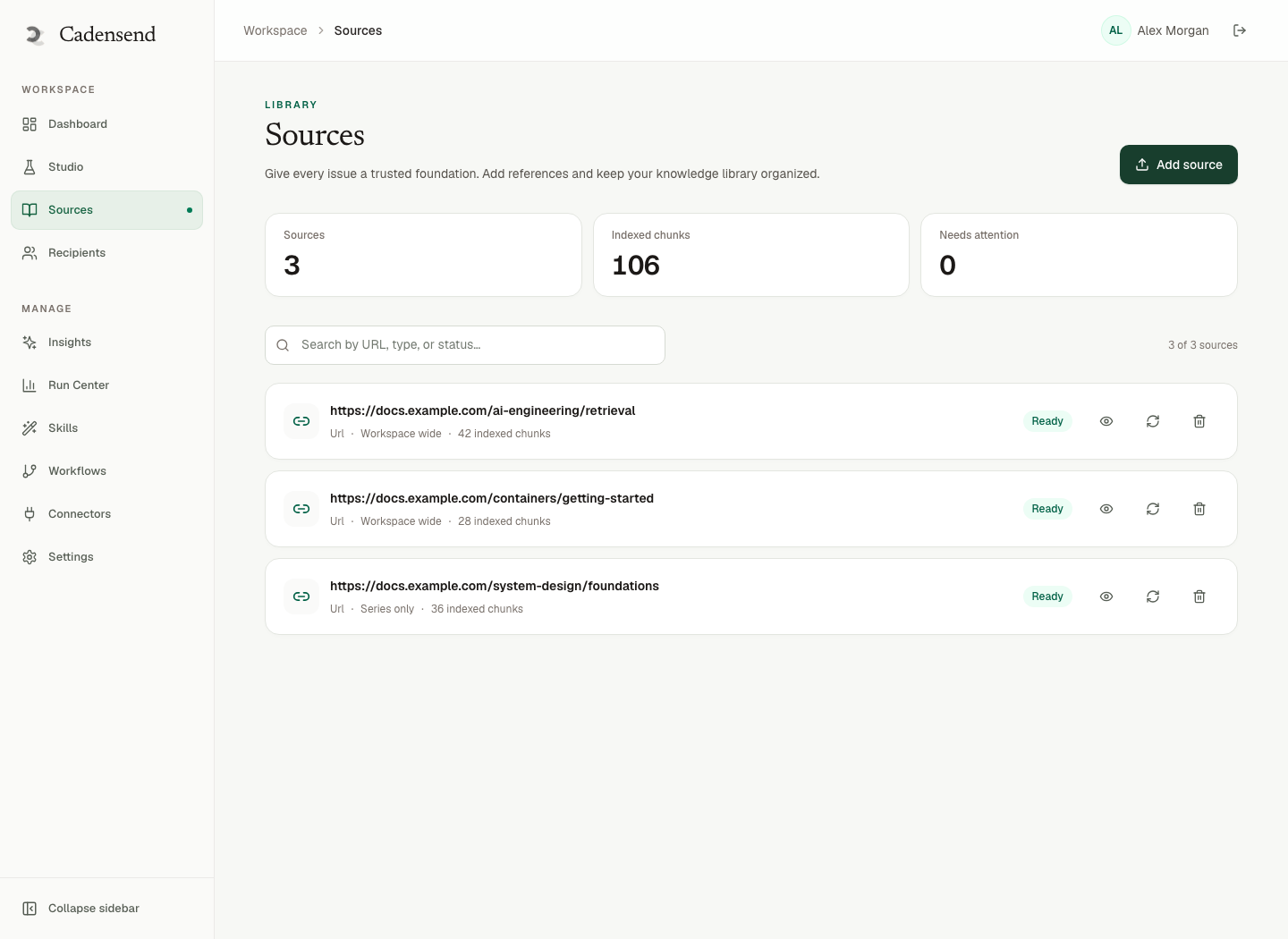
If you outgrow a single reviewer, the API around “approve issue version N” is a small, boring backend service. Keep it boring.
What to log so review gets cheaper
Review without memory is expensive forever. Log:
- Issue ID and version
- Reviewer
- Axis scores
- Failure codes:
HALLUCINATION,WRONG_LEVEL,NO_ACTION,BAD_DIAGRAM,OFF_OBJECTIVE - Time to review
- Whether a section regenerate succeeded on the first retry
After 30 issues you will know whether your planner or your writer is the problem. Planner failures belong in Plan Studio. Writer failures belong in retrieval and the critique graph. Human slowness often means the rubric is unclear, not that people are lazy.
Those logs are also how you later measure whether the email course taught. Open rate does not tell you the API name stuck. A two-question quiz issue does.
Redact prompts and source text from logs the way Cadensend does. Keep identifiers. You want traces, not a second copy of the customer contract in Splunk.
For injection and data handling, retrieved files are untrusted. The OWASP LLM top 10 and Anthropic's docs on being careful with untrusted content are better primers than a LinkedIn thread.
Frequently Asked Questions
How do I review AI-generated lesson content quickly?
Timebox twelve minutes: objective match, claim-to-source highlights, learner action, then email mechanics. Fail faithfulness immediately. Do not spend the first ten minutes on tone.
Can I let GPT review its own lesson?
You can use a model to flag grammar and missing headings. You cannot use it as the sole faithfulness check without the source chunks in context. Even then, a human still approves send.
What is the most common defect in AI lessons?
Confident specifics that were not in the sources: version numbers, defaults, flags, and war stories. Second place is difficulty spikes from retrieving an advanced chunk into a beginner issue.
Should every issue include a diagram?
Only if the objective is spatial or sequential. A forced diagram is another hallucination surface. When you do include one, follow diagrams in email: SVG vs PNG.
Is Cadensend a replacement for ConvertKit?
No. Cadensend is an open-source, self-hosted curriculum engine with no hosted signup. It is not a marketing suite and not a bulk sender. Use it to plan, ground, review, and send approved lessons.
How does this connect to human-in-the-loop agents?
The same pattern: tools may draft, humans approve high-impact actions. Sending a lesson is a high-impact action because errors persist in inboxes. See HITL approval gates.
What should I do with a lesson that fails review twice?
Stop regenerating. Fix the plan, the sources, or the objective. Two failed writes usually mean the retrieval set is wrong, not that the temperature is wrong.
Conclusion
- Review claims against sources, then review teaching quality, then review email fitness.
- Score five axes and hard-fail faithfulness. Fluency is not a green light.
- Regenerate sections, not entire issues, and keep a diff.
- Separate writer and reviewer, even when both are you on consecutive days.
- Use Cadensend when you want that loop in software — MIT, self-hosted, not ConvertKit.
Need a review workflow, citation renderer, or approval API in production? Contact HinterBuild. Meet the team via about or LinkedIn.
Free consultation
Book a free consultation call on reviewing AI lesson content
30-minute call with the HinterBuild team. Discuss your project, architecture questions, or next steps — no obligation.
Book a meeting
Keep reading
Related articles
Internal Onboarding Email Course Design Guide
Design an internal onboarding email course that matches production: grounded runbooks, approval gates, diagrams, and measurement beyond open rate.
Read post
Human-in-the-Loop AI Written Courses That Last
Design human-in-the-loop AI written courses with approval gates, locked issues, and source-grounded drafts that you can actually send.
Read post
Diagrams in Email: SVG vs PNG for Teaching
Ship teaching diagrams in email with SVG vs PNG fallbacks, alt text, and a review workflow that survives Outlook and Gmail.
Read post
Turn Documentation Into Email Curriculum
Turn documentation into an email curriculum with structure-aware ingestion, cited issues, prerequisite checks, and self-hosted delivery to you only.
Read post