
Second Brain with AI: Notion, Obsidian, Email
Build a second brain with AI in Notion, Obsidian, or email. Capture once, retrieve with quotes, and keep notes you own as the system of record.

Muhammad Abdul Sami
· 11 min read
- PKM
- Notion
- Obsidian
- AI Productivity
A second brain with AI is not a chatbot that “remembers you.” It is a store of notes you own, plus a model that asks questions against those notes without inventing a third version of reality. Notion, Obsidian, and email can all play a role. This guide is for professionals who are not PKM influencers and not ML engineers.
At HinterBuild we keep client facts in systems of record, not in model memory. When we want a teaching sequence from those notes, we use Cadensend: an MIT open-source, self-hosted email curriculum engine, no hosted signup, issues grounded in sources you supply (GitHub).
Key Takeaways:
- Chat history is a scratch pad. Notes, files, and email you control are the second brain.
- Capture messy, file once, retrieve with questions that demand quotes.
- Notion wins sharing; Obsidian wins local ownership; email wins push and cadence.
- AI should extract and link, not become another inbox of “memories.”
- Untrusted clips can inject prompts; sensitive docs need a privacy path.
- A weekly 20-minute review beats a perfect taxonomy you will not maintain.
Table of Contents:
- What a second brain is for
- Notion vs Obsidian vs email
- The capture–file–retrieve loop
- AI jobs that help (and jobs that rot the garden)
- Email as a curriculum layer
- Privacy, injection, and vendor lock
- A 14-day setup
- The weekly review
- What never belongs in the vault
- Frequently Asked Questions
What a second brain is for
Tiago Forte’s “building a second brain” popularized PARA and progressive summarization (Forte’s BASB). Strip the brand: you want future-you to find decisions, quotes, and unfinished work without searching Slack for 20 minutes.
AI changes three things:
- You can capture worse notes (voice, messy bullets) and still extract structure — see voice notes to action items.
- You can ask questions across many notes if you retrieve the right files.
- You can destroy the system by letting the model write a polished summary that replaces the source.
Use the brain for:
- Project decisions and the date they were made
- People: how they like to receive status (managers’ status workflow)
- Snippets that will become proposals (small business AI)
- Interview stories (job applications)
- Learning notes that will be quizzed (15-minute skill loop)
Do not use it as a dump of every PDF you might need someday. That is a Drive folder, not a brain.
Notion vs Obsidian vs email
| Job | Notion | Obsidian | Email series |
|---|---|---|---|
| Team sharing | Excellent | Awkward without a vault policy | Excellent (inbox) |
| Local-first / offline | Weak | Strong | Depends on client |
| AI built-in | Notion AI | Plugins / local models | Cadensend or your mail + files |
| Bidirectional links | Databases + relations | First-class [[links]] | Weak; use IDs in subject |
| Long-term ownership | Export is work | Markdown on disk | MBOX you can archive |
| Push (“show up”) | Reminders if you look | Reminders if you look | Native |
Pick Notion if the unit of work is a shared database (CRM-ish pipeline, content calendar) and colleagues will not install a vault.
Pick Obsidian if the notes are yours, possibly confidential, and you want plain Markdown. Pair with privacy-safe personal documents.
Pick email as a layer, not a store. Email is how spaced issues arrive. The store remains the vault or Notion database. Cadensend writes issues from sources; it is not a replacement for PARA.
Many people run a hybrid: Obsidian for thinking, Notion for team trackers, email for lessons. That is fine. Three stores with the same project ID in the title is better than one store you resent.
Official starting points: Notion help and Obsidian help. Ignore plugin maximalism until the loop works with search.
The capture–file–retrieve loop
Capture anywhere: voice, email to self, web clipper, meeting extract. Quality bar: one noun and one verb. “River Clinic / delay invoice / wait on Priya.”
File within 24 hours into:
- A project note (active work)
- A person note (rare; not a stalking file)
- A source note (book, doc, URL) with a quote
- An inbox that is emptied weekly (not a graveyard)
Retrieve with questions that require evidence:
Using only these notes, answer X. Quote the note title and the line. If missing, say missing.
If you skip “say missing,” you will get a hallucinated report. The engineering version is LLM hallucination causes and fixes.
PARA (Projects, Areas, Resources, Archives) is enough structure. If you need a twelfth tag, you are avoiding filing.
Templates worth copying
Project note
- Outcome
- Open questions
- Decisions (date, who)
- Links to sources
- Next visible action
Source note
- Full citation
- 3 quotes max
- Why you captured it
- Link to the project that cares
AI can fill the template from a messy dump. You still click file.
AI jobs that help (and jobs that rot the garden)
Helpful
- Turn a voice dump into the project template
- Suggest 3
[[links]]to existing notes (you accept) - Generate a quiz from a source note
- Weekly: list project notes with no “next action”
Rot
- Auto-tag 40 notes with 200 tags
- Rewrite all notes in “your voice” (you lose the quote)
- Let ChatGPT Memory be the only copy of a decision
- Embed every article “just in case”
Custom GPTs and Projects can sit on a subset of the vault. They are not backups. See Custom GPTs vs Projects vs email courses.
Model choice for daily Q&A: ChatGPT vs Claude vs Gemini. Claude projects and Gemini’s Docs grounding are convenient; local models plus Obsidian are better for regulated files.
Cost stays sane if you retrieve 3–8 notes, not “the whole workspace.” That is reducing LLM costs as personal finance.
Email as a curriculum layer
A second brain that you never reopen is a first brain you feel guilty about. Push beats pull.
Turn a cluster of source notes into a 6–12 issue series: one idea, one quote, one question. That is microlearning on top of PKM.
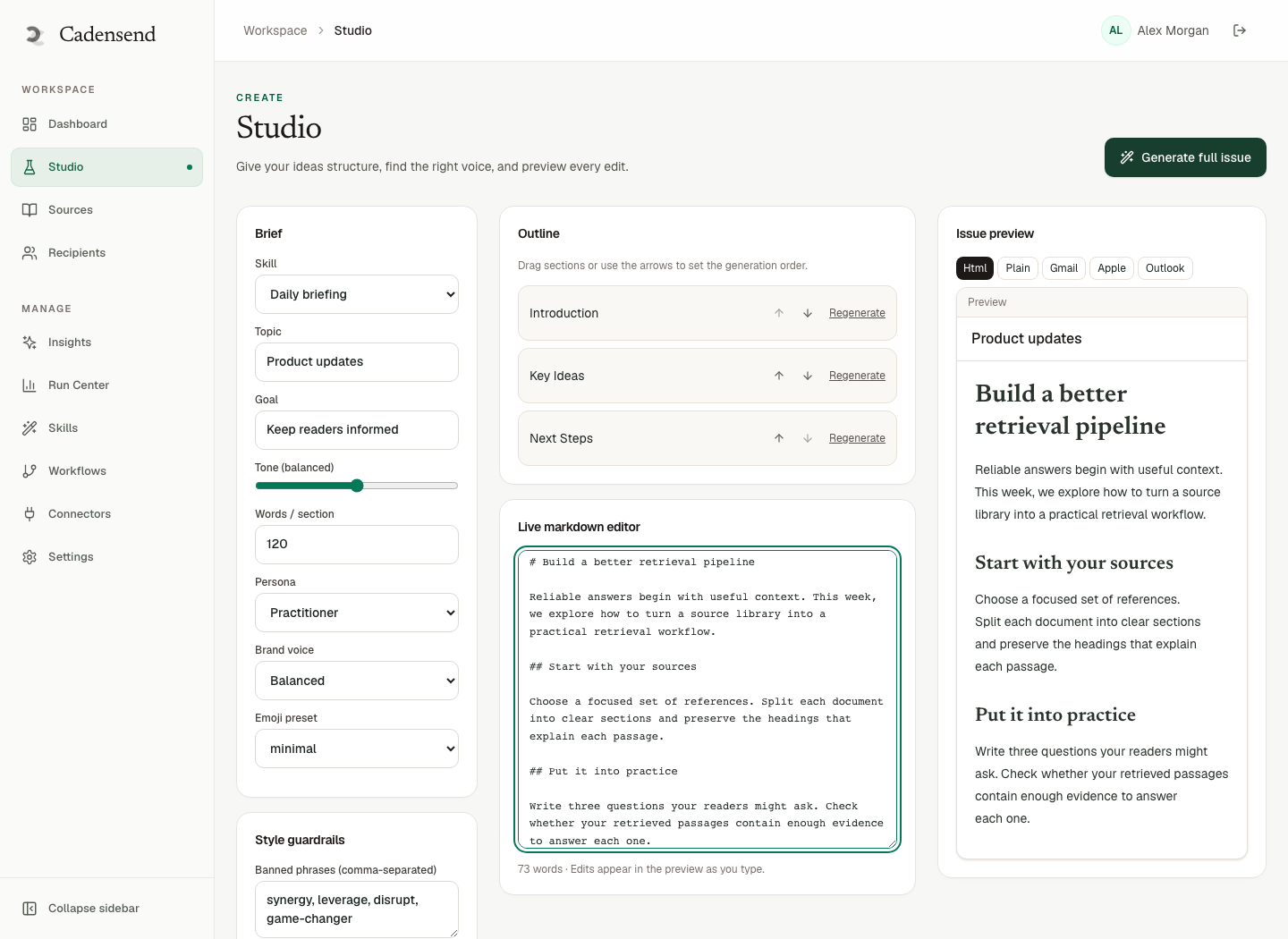
Cadensend is built for this shape: plan from a learning goal, ground in your sources, send once per cadence. You keep the vault; email is the tutor’s knock on the door.
If you are teaching a team the same brain rules, do not paste a GPT. Send the series.
Privacy, injection, and vendor lock
- Privacy: HR and health notes do not belong in a consumer GPT even if Notion AI is “on.” Scrub patterns: PII detection and scrubbing.
- Injection: web clippers pull hidden text. Prompt injection guide. Prefer readable Markdown you skimmed.
- Lock-in: if the only copy of a decision is inside a vendor memory feature, you do not have a second brain. Export monthly.
- Agents: an agent that writes to your vault unsupervised will create confident mess. If you want that productized, it is AI agent development with approvals — human-in-the-loop.
Self-hosting notes is easier than self-hosting models. Start with disk you control (Obsidian + backups). When to self-host LLMs is a later question.
A 14-day setup
Day 1: Pick one store. Do not migrate 4,000 Evernotes.
Day 2: Create inbox + one active project note.
Days 3–7: Capture only from real work. File daily. Use AI only to fill the template.
Day 8: Add a source note from a doc you actually need.
Day 9: Ask a retrieve question. If the model invents, tighten the prompt.
Day 10: Connect voice capture.
Day 11: Delete or archive anything you have not opened conceptually — do not “AI sort” the pile.
Day 12: Choose email vs calendar for one learning cluster.
Day 13: Privacy pass on the vault.
Day 14: 20-minute review ritual on the calendar, repeating.
Done is a loop, not a YouTube aesthetic.
The weekly review
Twenty minutes, same calendar slot, phone in another room.
- Empty the capture inbox to zero. File or delete. AI may propose a destination; you click.
- Open each active project note. If “next action” is empty, write one or archive the project.
- Ask the model: “Which project notes have no decision in 14 days?” You verify. Do not let it create fake decisions.
- Pick one source cluster that deserves a quiz or an email issue this week — microlearning on top of PKM.
- Export or backup if you use a cloud-only tool. A second brain you cannot export is a rental.
If the review needs an hour, you captured too much. Raise the bar: one noun, one verb, or it does not enter the inbox.
What never belongs in the vault
- Other people’s performance ratings and health stories
- Unredacted customer dumps “for later”
- Every article you might read
- Passwords (use a password manager)
- Legal files counsel told you not to copy
- A second copy of a tracker that already is the system of record (Jira, CRM). Link out.
AI will cheerfully file all of the above into pretty summaries. That is how a PKM becomes a breach. Classify first, same as privacy-safe personal documents.
Also refuse duplicate polished notes. If you have the quote, you do not need a 400-word rewrite sitting next to it. Summaries go stale; quotes do not.
When a note is really a task, it does not belong in the vault as a forever idea. File it with the voice-to-action pipeline and leave a one-line pointer in the project note.
Frequently Asked Questions
Do I need both Notion and Obsidian?
No. Pick one for thinking. Add Notion later only if a team database is the bottleneck. Two thinking tools is how notes fork.
Is ChatGPT Memory a second brain?
It is a convenience cache. You do not control export, retention, or errors. Put decisions in notes you own, then let a model read them.
How do I search thousands of Markdown files with AI?
Start with ordinary search and tags. Add RAG-style retrieval only when search fails. Pasting the three right notes beats embedding the universe.
What should I do with old notes?
Archive by year. Do not spend a weekend classifying 2019. Retrieval on active projects pays; archaeology rarely does.
Can email replace Notion?
Email is a delivery and archive medium. It is a poor graph of ideas. Use it to push lessons and approvals, not to store every quote.
How do I keep AI from rewriting my original quote?
Store quotes in a block you never let the model overwrite (call it ## Quote). Summaries go below. The quote is sacred.
Is Cadensend a second brain?
No. It is a curriculum engine that reads sources you already have and emails a series. Your vault or Drive remains the brain. Together they are capture + teaching.
When do I need a custom PKM agent?
When filing rules are stable and you will measure error rates. Until then, templates plus a human click are faster and safer.
Conclusion
- Own the files; rent the model.
- Capture messy, file once, retrieve with quotes.
- Notion for teams, Obsidian for local thinking, email for push.
- Ban AI jobs that multiply notes you will not read.
- Review weekly or the garden returns to jungle.
A second brain is a promise to future-you. AI can keep it if you refuse to let the chatbot become the archive.
Questions about PKM workflows or sourced email curricula? Contact HinterBuild. About the team. Written by the HinterBuild Engineering Team. Connect with Abdul Sami on LinkedIn.
Free consultation
Book a free consultation call on AI second brain & PKM
30-minute call with the HinterBuild team. Discuss your project, architecture questions, or next steps — no obligation.
Book a meeting
Keep reading
Related articles
Custom GPTs vs Projects vs Email Courses
Custom GPTs vs Projects vs email courses: when to use a chatbot wrapper, a file pack, or a sourced, self-hosted email curriculum you will actually finish.
Read post
Self-Host an Email Course on Your Laptop
Self-host an email course on your laptop with Cadensend: clone the MIT repo, attach sources, and send grounded issues to yourself.
Read post
ChatGPT Projects vs a Personal Email Syllabus
ChatGPT Projects hold files for chat. A personal email syllabus sequences grounded issues. Cadensend is the engine for the second job.
Read post
Voice Notes to Action Items with AI
Turn voice notes into action items with AI: capture on the walk, extract owners and dates, and file tasks without inventing commitments you never made.
Read post