
Curriculum Design for Email Modules and Prerequisites
Curriculum design for email modules means validated plans, prerequisite order, locked issues, and Cadensend’s Plan stage before any grounded send.

Muhammad Abdul Sami
· 13 min read
- Learning
- Curriculum
- Architecture
Curriculum design for email modules is prerequisite graphs, coverage checks, and locks — not a bullet list from a single prompt. HinterBuild's Cadensend is an open-source MIT email curriculum engine. It turns a learning goal plus your sources into a structured series: Plan, Ground, Write, Deliver. Self-hosted. No hosted signup. MVP sends only to your verified address. Not marketing, CRM, or bulk email.
This post is the Plan pillar: outcomes, includes/excludes, module and issue shape, validation loops, Plan Studio, and how locks interact with exactly-once send versions. A beautiful grounded issue in the wrong order is still a failed course. Clone Cadensend on GitHub. Planning is product; retrieval is RAG LLM systems; jobs are backend API engineering.
Key Takeaways:
- Write a performance outcome, then let the planner propose modules that coverage-check against ingested headings.
- Prerequisite edges are data. Issue 8 must not assume issue 12.
- Lock approved issues so regeneration cannot silently rewrite them.
- Cadence and timezone belong in the plan, not in a footer.
- Cadensend is self-hosted MIT; you are the only MVP recipient.
- Grounding cannot fix a plan that asked for pages you never ingested.
Table of Contents:
- Email Is a Harsh Curriculum Medium
- Outcomes, Includes, and Excludes
- Modules, Issues, and Prerequisite Edges
- Validation and Revision Passes
- Plan Studio and Locks
- Mapping Common Series Types
- From Approved Plan to Exactly-Once Send
- A 12-Issue Graph You Can Steal (Then Lock)
- Frequently Asked Questions
Email Is a Harsh Curriculum Medium
Short answer: One objective per issue, no random access, no live teacher to patch order.
A docs site can be searched. An email issue is a one-way packet. If authentication is issue 9 and "list projects" is issue 2, the learner fails in public — even if the public is themselves. That is why Cadensend validates prerequisite ordering before you see a plan, using a graph with a revision pass rather than one-shot bullets (LangGraph is the implementation style).
Bloom-style outcomes still help if you keep them operational. "Understand REST" is not an outcome. "Send an authenticated list request and interpret a pagination cursor using our handbook" is. Anderson and Krathwohl's revision of Bloom is widely used in instructional design; the useful part for email is observable performance, not the pyramid poster.
Diátaxis (diataxis.fr) informs issue shape inside modules: tutorial vs reference vs explanation. We map that in docs-to-email curriculum.
Cadence is load. Daily issues must be short. Three times a week can carry explanation. See email learning cadence and timezone. HinterBuild: about. Product scope: Cadensend.
Outcomes, Includes, and Excludes
Short answer: Excludes do more work than includes for technical series.
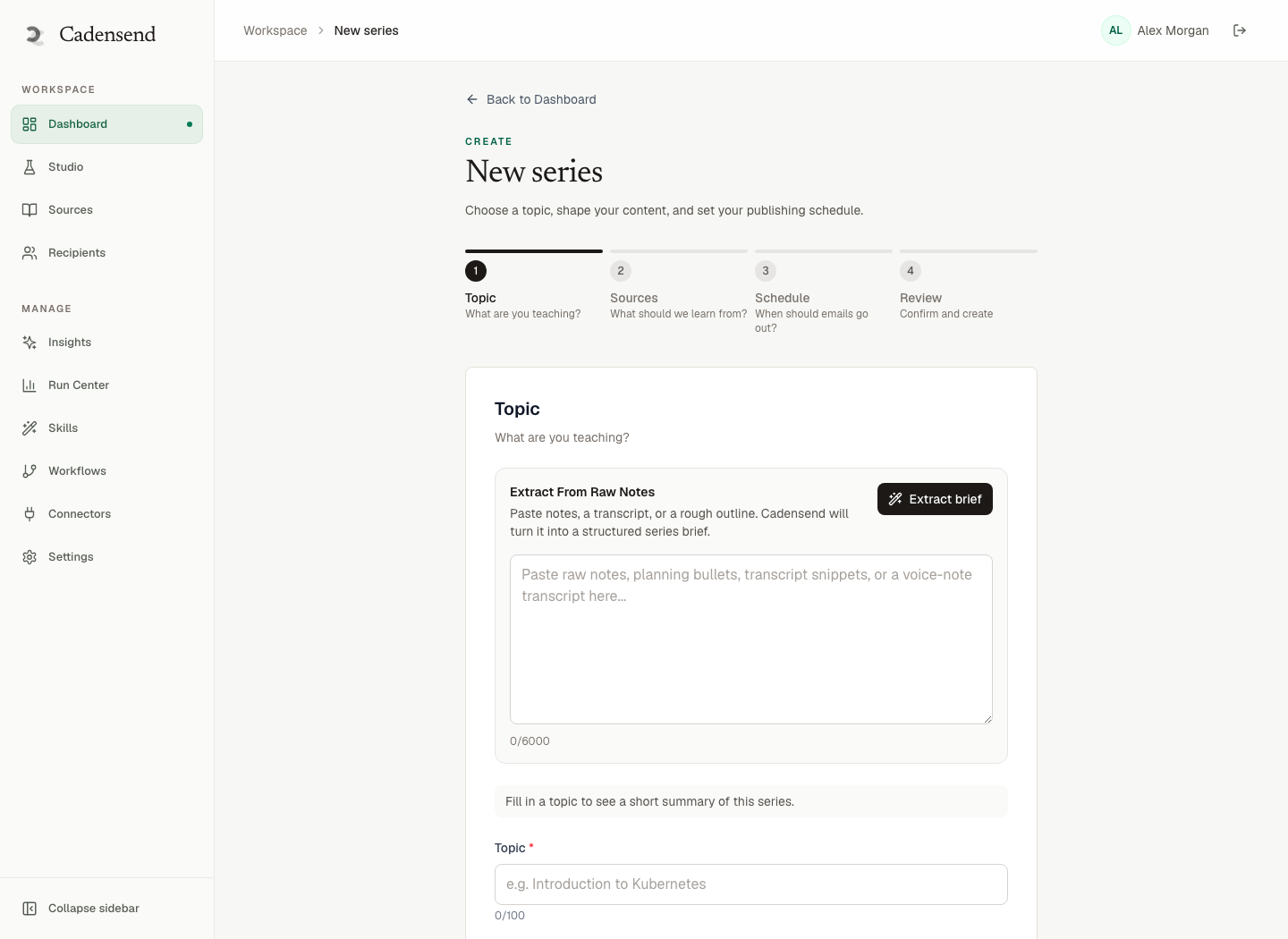
Create Series captures topic, included and excluded concepts, outcome, audience level, cadence, timezone, and tone. Fill excludes: "no Kubernetes," "no third-party HTTP libraries," "no billing package." Retrieval will still find excluded material if you ingested it — so also keep it out of the corpus or the planner will fight Ground. That fight shows up as RAG garbage.
Audience level changes examples, not the truth of the API. A senior engineer series can cite ADRs. A new-hire series should not assume saga vocabulary on day 1.
| Field | Anti-pattern | Pattern |
|---|---|---|
| Outcome | Learn the platform | Review a PR against the HTTP guidelines |
| Include | Everything in the repo | Auth, errors, idempotency keys |
| Exclude | (blank) | Internal billing, deprecated v1 |
| Audience | Everyone | Backend hire, week 1 |
| Cadence | Daily because "30 days" | Three weekday mornings |
30-day programming is a cadence choice plus an outcome. Personal knowledge series use the same fields with a vault as corpus. GitHub repo courses pin a tag in the brief.
Hallucinated outcomes ("also cover GraphQL") must not appear because the model likes GraphQL. Planner output is structured and validated. Educational hallucination starts at Plan when the outline invents modules with no sources.
Modules, Issues, and Prerequisite Edges
Short answer: Modules group objectives. Issues are sendable. Edges are "must precede."
A module is not an email. An issue is. Modules exist so coverage can be discussed at a human scale ("we never taught errors") without 40-row spreadsheets.
Prerequisite edges should be explicit: Token → Authenticated list → Pagination. The validator rejects cycles and rejects "uses cursor" before "what is a cursor." This is ordinary instructional design, encoded so a regen cannot "helpfully" reorder.
Depth vs breadth: 18 issues that finish beats 40 that stall. The spacing effect (Cepeda et al.) supports gaps; it does not require daily heroics.
Grounding still matters inside a perfect graph. Issue 4 must retrieve the auth heading, not the changelog. Embeddings plus series filters. Grounded writing compiles the body. LLM hallucination is the body-level failure.
Validation and Revision Passes
Short answer: Coverage against outcome and ingested headings; order against edges; then a bounded rewrite.
Cadensend's Plan body: a planning graph turns the brief into modules and issues, then validates coverage and prerequisite ordering, with a revision pass when validation fails. That is the difference from "ChatGPT, make a 12-week course."
Coverage should use evidence from Ground's index, not from model memory of the industry. If you did not ingest pagination docs, the planner must not add a pagination module unless you change the outcome.
Revision cap: infinite plan loops are a cost incident. Fail to the user: "add a source or drop this outcome."
Compare open source email course platforms: ESPs do not validate syllabi. LMS tools may have modules without grounding. Cadensend is the intersection.
Plan Studio and Locks
Short answer: Reorder and edit objectives. Lock approved issues. Regeneration respects locks.
You will disagree with the first graph. Plan Studio is the human loop: move the capstone, split a fat issue, rewrite an objective. Then lock.
Locks are identities. They are why week 1 does not shapeshift after you started reading it — the same reason send keys include issue_version in exactly-once delivery and idempotency. HinterBuild backend treats approved artifacts as immutable except via new versions.
Do not lock everything on first generate. Lock as you accept. Unlocking should be explicit and should invalidate unsent schedules for that issue.
Mapping Common Series Types
Short answer: Same planner, different corpora and issue length.
| Series | Corpus | Plan emphasis |
|---|---|---|
| Personal knowledge | Vault, PDFs | Conflict surfacing, exclude journals |
| Programming 30 days | Language docs | Excludes for third-party libs, daily short issues |
| Internal handbook | HTML docs + ADRs | Diátaxis mix, weekday cadence |
| GitHub library | docs/ + README at a tag | File-tree coverage, pin version |
All of them still Deliver with skip-locked Postgres (skip locked) to your verified address. None of them are list drips.
Writer constraints remain: no browse, no code execution, citations rendered, AST not HTML. Plan cannot authorize a tool the Write graph does not have.
From Approved Plan to Exactly-Once Send
Short answer: Generate bodies per issue, approve, schedule local instants, claim jobs, record, provider.
Plan does not send. Mixing "generate the whole series at 07:00" with send is how you miss windows and retry unsafely. Approve content before the cadence window. Store UTC + IANA.
Delivery record before provider. Keys: workspace, issue, recipient, version. Exactly once.
MVP recipient is you. A perfect curriculum mailed to an unconsented list is still the wrong product. Cadensend will not do that today. Self-host the MIT repo. No hosted signup.
Contact for email curriculum design. About. RAG. Backend. Cadensend.
A 12-Issue Graph You Can Steal (Then Lock)
Short answer: Four modules, three issues each, explicit edges, weekday cadence.
Outcome: "Review a backend PR against our HTTP handbook." Corpus: handbook + two ADRs. Audience: new senior hire. Cadence: Mon/Wed/Fri 07:15 IANA local. Excludes: billing package, GraphQL, v1.
| Module | Issues | Must precede |
|---|---|---|
| Auth | Token, headers, clock skew | — |
| Writes | Idempotency keys, error shape | Auth |
| Reads | Pagination, filtering, timeouts | Auth |
| Change | Versioning, changelog policy, capstone PR checklist | Writes + Reads |
Edges: Auth → Writes, Auth → Reads, Writes+Reads → Change. The capstone issue lists the headings already taught; it must not introduce a new verb. If the planner sneaks "rate-limit math" into issue 12 without a handbook section, coverage fails — add a source or drop it.
Issue length: 8–12 minutes of reading plus one click-through to an anchor. If an issue needs a 40-minute lab, it is two issues or the wrong medium. That is how 30-day programming stays honest, and how docs-to-email avoids becoming a pasted handbook.
Lock module 1 after you survive the first week. Regeneration of module 4 must not rewrite token vocabulary. Send keys still include issue version (exactly-once, idempotency). Bodies still ground to chunks; Plan does not license hallucination.
Anti-patterns:
- Topic sprawl. "Also Kubernetes" because the model has opinions. Exclude it.
- Mirror the sitemap. Sitemaps are not prerequisite graphs.
- Daily 30 for a dense ADR. Use three times a week (cadence).
- Unlock-to-tweak-a-typo. Edit the body; bump version; do not reopen the whole graph.
- Plan as marketing drip. If the next step is a list, you want an ESP from open source email course platforms, not Cadensend MVP.
Merrill's first principles (problem-centered, activation, demonstration, application, integration) map cleanly onto issue shape: show the PR problem, activate the heading, demonstrate with a cited snippet, ask the reader to open a diff, integrate in the capstone. You do not need the full vocabulary in the prompt. You need the outcome sentence and the edges.
Frequently Asked Questions
What is curriculum design for email modules?
It is structuring a learning goal into modules and sendable issues with explicit prerequisites, coverage checks, and locks, then generating grounded bodies. Cadensend's Plan stage implements that before Ground and Write.
Can the planner invent modules not in my docs?
It might try. Validation should fail coverage if headings were never ingested. Add a source or change the outcome. Do not send invented modules.
How many issues should a module contain?
Enough for one coherent objective cluster, usually 2–6 issues. If an issue needs 40 minutes, split or slow the cadence.
Do locks survive a full series regeneration?
Approved locked issues should. That is the point of Plan Studio locks. Unlocked issues may be rewritten.
How do prerequisites interact with RAG?
Prerequisites order teaching. RAG still must retrieve the right section inside an issue. A correct order with wrong chunks is RAG garbage. Both layers are required.
Can I email the planned course to a cohort?
Not in MVP. Only your verified address. Cohort features need consent and suppression first.
Is Cadensend a hosted curriculum designer?
No. Clone github.com/HinterBuild/cadensend and run it.
Who helps design internal email academies?
Contact HinterBuild. Related: about, RAG systems, backend API engineering.
Conclusion
Curriculum design for email modules is outcomes, graphs, validation, locks, then grounded send.
- Excludes and corpus filters beat a longer prompt.
- One objective per issue; prerequisites as data.
- Lock what you have accepted; version what you send.
- Self-host Cadensend; you are the student in MVP.
Start with Cadensend and GitHub, or schedule a consultation. HinterBuild: about.
Connect with Abdul Sami on LinkedIn.
Free consultation
Book a free consultation call on email curriculum design
30-minute call with the HinterBuild team. Discuss your project, architecture questions, or next steps — no obligation.
Book a meeting
Related Articles
- Personal Knowledge Email Series From Notes
- Learn a Programming Language by Email in 30 Days
- Email Learning Cadence and Timezone That Gets Read
- Exactly-Once Email Delivery for Courses
- Turn Documentation Into Email Curriculum
- Open Source Email Course Platforms
- Technical Email Course From a GitHub Repo
- Grounded AI Writing for Newsletters
- Avoid AI Hallucination in Educational Content
Keep reading
Related articles
Teach Yourself System Design by Email
A self-study system design email series: spaced issues, diagrams that survive the inbox, source citations, and review so you do not learn fiction.
Read post
Open Source Email Course Platforms Compared
Compare open source email course platforms vs Cadensend: MIT curriculum engine, self-hosted, cited lessons, no hosted signup, not a bulk ESP.
Read post
Exactly-Once Email Delivery for Courses
Exactly-once email delivery for courses: Postgres skip-locked queues, pre-provider records, and idempotent keys so a retry never double-sends a lesson.
Read post
Turn Documentation Into Email Curriculum
Turn documentation into an email curriculum with structure-aware ingestion, cited issues, prerequisite checks, and self-hosted delivery to you only.
Read post