
Subject Lines for Learning Emails That Work
Subject lines for learning emails name the lesson outcome, not bait. Cadensend edits subject on the issue before an exactly-once send.

Muhammad Abdul Sami
· 12 min read
- Email Subject Lines
- Learning
- Cadensend
- Educational Email
Subject lines for learning emails should tell the learner what they will be able to do after they read the issue — not manufacture urgency. “Lesson 3: cite a chunk, not a vibe” beats “You won’t BELIEVE what RAG can do.” Filters and humans both punish bait. Cadensend is a self-hosted MIT email curriculum engine with an editorial workspace for subject and preheader, grounded body text from sources you supply, and exactly-once delivery to your verified address in MVP. There is no hosted signup.
This is craft guidance for PKM → series workflows. It is not ConvertKit growth hacking. HinterBuild ships Cadensend on GitHub. If you need retrieval plus copy systems, contact us or read who we are.
Key Takeaways:
- Name the outcome and the issue number; skip ALL-CAPS and fake scarcity.
- Pair every subject with a preheader that adds information (preheaders).
- Grounded claims in the subject (“from RFC 5321 §2”) only if the source is attached and cited in the body.
- Cadensend stores subject on the issue version; changing it after send should be a new version, not a silent mutation.
- Open rate is not the goal of a personal syllabus — completion of the objective is — but a lying subject still trains you to ignore the series.
Table of Contents:
- What a Learning Subject Line Is For
- Patterns That Teach vs Patterns That Spam
- Grounded Subjects Without Fake Citations
- Length, Tokens, and Mobile Preview
- Series Consistency and Versioning
- Measuring Without a Vanity Dashboard
- A Ten-Issue Subject Sheet You Can Copy
- Frequently Asked Questions
What a Learning Subject Line Is For
Short answer: It is a label on a syllabus row, not a billboard.
Promotional subjects compete with every other brand. Learning subjects compete with your future self deciding whether to open issue 6 or archive it. If the label is cute and empty, you archive. If it is specific, you open because you remember the plan.
Cadensend’s Plan pillar already has objectives per issue. The cheapest subject is a human-readable objective:
Issue 2 — Scope retrieval to one series before you embedIssue 5 — Write the delivery row before you call SMTP
That is less “copywriting” than exposing the plan. Plan Studio can lock approved issues; the subject should stay aligned with the locked objective so regeneration of neighboring issues does not drift the label.
This differs from transactional vs educational email. A receipt subject is an identifier (Receipt #1842). A learning subject is a promise. Do not write learning subjects like flash sales. Do not write receipts like lessons.
Ghost posts often reuse the post title as the email subject — correct for a CMS. Kit lets you A/B subjects on a list — correct for a CRM. Cadensend is neither (comparison). MVP has no list to A/B. Write one honest line.
Patterns That Teach vs Patterns That Spam
Short answer: Specific > clever. Outcome > curiosity gap. Calm > fake countdown.
| Pattern | Example | Use? |
|---|---|---|
| Outcome + number | Issue 4: Render citations from chunk IDs | Yes |
| Source-aware | Issue 4: Citations that cannot be invented (your PDFs) | Yes, if true |
| Curiosity gap | The retrieval mistake costing you hours | Rarely; feels like ads |
| Fake urgency | Last chance to learn embeddings | Never for a self-course |
| ALL CAPS + emoji spam | 🔥 OPEN THIS 🔥 | Never; spam filters |
| Re: / Fwd: lies | Re: your curriculum | Never |
| Vague AI sludge | Exploring key concepts in today’s lesson | Never |
Litmus and other labs have published for years that preview text and subject work as a pair (Litmus on preview text). If your subject is complete and your preheader repeats it, you wasted forty characters. Write them together in Cadensend’s studio.
Humor is allowed if it is your voice and not a phishing kit. “Issue 7: your cron is a liar (idempotent sends)” is fine. “CONFIRM YOUR IDENTITY” is not.
Emoji: one, maybe, if it is a series mascot. A wall of emoji is a bulk fingerprint.
Grounded Subjects Without Fake Citations
Short answer: Do not put a paper title in the subject unless retrieval actually used that paper.
The body in Cadensend is grounded: scoped retrieval, structural citations, renderer-gated links. The subject is still a string you can type. You can lie in the subject while the body is honest — or worse, the model proposes a subject that names a source it did not retrieve.
Editorial rule: inspect retrieved context before you lock the subject. If the chunks are from your notes on embeddings and not from a Nature paper, do not subject-line the Nature paper. Invented authority is the same family as hallucinations and is why we wrote attach sources so AI doesn’t invent citations.
If RAG is sloppy, subjects get sloppy. Garbage index → garbage title. Debug with why RAG pipelines return garbage. Prefer RAG over “just prompt a snappy subject” (RAG vs fine-tuning vs prompting).
ChatGPT Projects will happily title a lesson after a book that is not in the project files. Projects are not Cadensend (Projects vs syllabus).
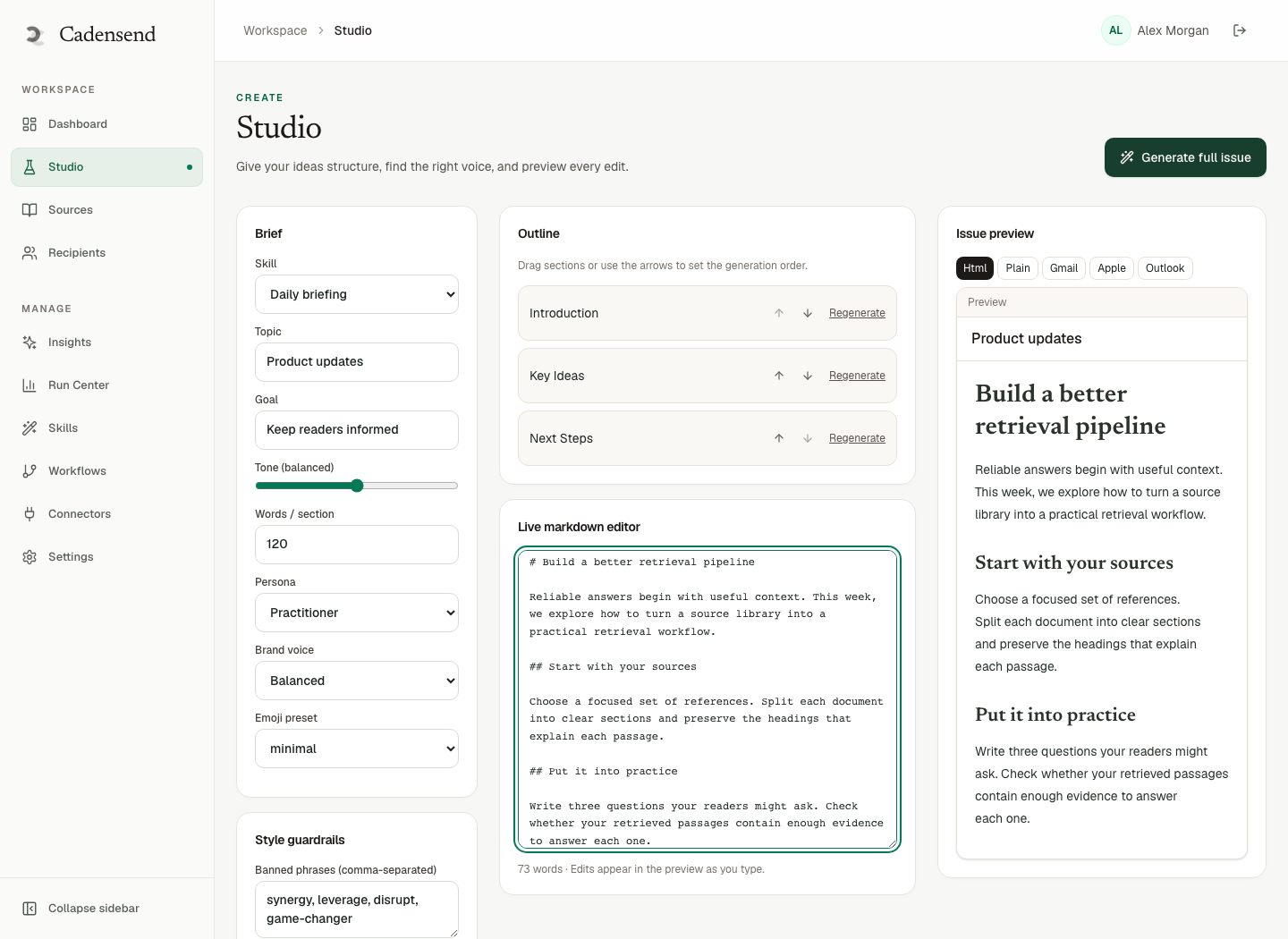
Figure 1: Treat the subject as part of the issue document, reviewed with retrieved context.
Length, Tokens, and Mobile Preview
Short answer: Front-load the issue number and the verb. Assume ~40–50 visible characters on a phone.
There is no sacred character count. There is a truncation reality. Put Issue N first so a truncated preview still orients the learner in the syllabus.
Avoid:
- Leading with your brand name if the From already shows it.
- Dates in the subject if timezone-correct scheduling already determines arrival (timezone scheduling).
- Markdown or unmatched brackets that look broken.
Plain language beats jargon unless the series is jargon training. A course on FOR UPDATE SKIP LOCKED should say that, not “a neat database trick.” Pair with idempotent sends when the issue is about retries.
Self-hosted on a laptop (self-host the course), you are the only reader. Still write as if Future You is tired. Tired You is the harshest spam filter.
Series Consistency and Versioning
Short answer: Pick a template for the series and keep it. A new subject on the same version should not sneak out as a duplicate send.
Recommended template:
Issue {n} — {objective in 6–10 words}
Optional suffix: {module name} if modules are real in the plan.
When you correct a factual error, bump issue version. Cadensend keys delivery on version (idempotency systems post). A subject-only fix is still a content change. Send v2 on purpose rather than hoping a retry is safe.
Do not A/B two subjects to the same verified address in a way that double-sends. That is how personal experiments recreate bulk bugs. At 10 million users you would use holdouts (system design); at one user you use judgment.
Lock approved issues in Plan Studio so a regeneration does not rename issue 2 after you already learned from it. PKM notes can be messy; the syllabus labels should not.
Measuring Without a Vanity Dashboard
Short answer: For a personal series, open rate is a weak proxy. Did you do the exercise?
Cadensend’s later analytics are on the roadmap, not in MVP. Do not bolt on a tracking pixel that makes your educational mail look like a blast (deliverability). Gmail image proxies already distort opens.
Useful personal metrics:
- Did you finish the issue the same day it arrived?
- Did you skip two in a row? (cadence too aggressive)
- Did you resend because the subject was unclear? (write better, bump version)
Kit’s open-rate leaderboards optimize for clicks. A curriculum engine optimizes for sequenced competence. HinterBuild’s RAG/LLM work uses task success, not clickbait.
If you want a second brain to review subjects, a human is better than a model. Contact if you want that as a teaching-system design problem. Engineering lead: LinkedIn.
A Ten-Issue Subject Sheet You Can Copy
Short answer: Write the whole series’ subjects at plan time, then only edit when an issue’s objective changes.
Below is a fictitious series, “Grounded writing from your own notes,” aimed at a backend engineer. Use it as a pattern, not as Cadensend output. Every subject assumes sources you actually attached.
| Issue | Subject | Why it works |
|---|---|---|
| 1 | Issue 1 — Close the corpus before you generate | Outcome + ban on open-web fantasy |
| 2 | Issue 2 — Scope retrieval to this series | Names the mechanism |
| 3 | Issue 3 — Chunk headings so citations can land | Concrete artifact |
| 4 | Issue 4 — Render citations from chunk IDs | Matches Cadensend’s renderer |
| 5 | Issue 5 — Write the delivery row before SMTP | Ties to idempotent sends |
| 6 | Issue 6 — Store IANA zone beside UTC | Ties to timezone scheduling |
| 7 | Issue 7 — Subject and preheader as a pair | Points at this post + preheaders |
| 8 | Issue 8 — Educational mail is not a receipt | Points at transactional vs educational |
| 9 | Issue 9 — Spam filters ignore your good intentions | Points at deliverability |
| 10 | Issue 10 — Laptop sleep is a retry | Points at self-host |
Notice what is missing: “Week 1 recap!!”, “A surprise guest”, “Open immediately”, brand-first prefixes, and paper titles that were not in the table of sources. If issue 4’s retrieval set did not include the renderer design note, do not subject-line the renderer as if it were a famous ACM paper.
When Plan Studio regenerates issues 6–10, locked 1–5 keep their subjects. That is how a syllabus stays a syllabus. ChatGPT Projects will happily retitle everything if you ask “make these punchier” (Projects vs syllabus). Punchier is how you get bait.
Write the preheader in the same sitting. Example for issue 4: subject as above; preheader Uses your uploaded design notes; no invented DOIs. If the design notes were not attached, that preheader is a lie — same class of error as invented citations.
For a personal series, print this table in your PKM. For Cadensend, the table is the plan. Either way, do not improvise a subject on send day while the worker is already claiming the job. That race is how people send v1 with a placeholder subject (Test) and then cannot resend without a version bump.
HinterBuild’s about team reviews subjects the same way we review API error strings: they are part of the interface. Tired-you at 7:40 a.m. is the user. Be kind and specific.
If you later publish a public Ghost version of an issue, rewrite the subject for a feed audience. The syllabus subject can stay Issue 4 — Render citations from chunk IDs. The magazine subject might be the outcome without the issue number. Do not A/B both through Cadensend’s send path. Two subjects are two versions or two products. Mixing them is how a personal engine is mistaken for Kit.
Frequently Asked Questions
What is a good subject line for a learning email?
Issue number plus a concrete outcome in plain language, without fake urgency or ALL-CAPS. Example: Issue 3 — Scope retrieval before you embed.
Should I A/B test subjects in Cadensend?
Not in MVP: you have one verified recipient. A/B that double-sends violates exactly-once delivery. Later audiences would need experiment design, not button mashing.
Can the model write the subject?
It can propose one. You should check it against retrieved sources so it does not name a paper that was not in context.
How long should a learning subject be?
Short enough to survive mobile truncation, with the issue number first. Aim to be understandable in the first 40 characters.
Do emojis help open rates for courses?
Unreliable, and easy to look like bulk. Prefer none or one consistent series marker.
Should transactional and educational subjects look the same?
No. Keep operational mail obviously operational so learners never confuse a lesson with a password reset. See transactional vs educational.
Does Cadensend send these to a list?
No. MVP sends to your verified address. No hosted signup. Clone GitHub.
Conclusion
- Subject lines for learning emails are syllabus labels: outcome, issue number, no bait.
- Write them with preheaders; inspect retrieval before you name a source.
- Cadensend edits subject on the issue, sends exactly once per version, self-hosted, MIT.
- Consistency beats cleverness across a series.
- Personal metrics are completion, not ESP vanity opens.
Use Cadensend, pair with preheaders, and get in touch if you are building a grounded teaching stack. About · LinkedIn.
Free consultation
Book a free consultation call on learning email subject lines
30-minute call with the HinterBuild team. Discuss your project, architecture questions, or next steps — no obligation.
Book a meeting
Keep reading
Related articles
Preheaders for Learning Emails and Opens
Preheaders for learning emails complete the subject with outcome and source. Cadensend stops the preview from becoming leftover HTML.
Read post
Transactional vs Educational Email Types
Transactional vs educational email differ in trigger, consent, and retries. Cadensend is a curriculum engine, not a receipt sender.
Read post
Spaced Repetition Email for Busy Professionals
Use spaced repetition email to keep knowledge from decaying. Design intervals, retrieval prompts, and a self-hosted course you finish.
Read post
Newsletter vs Email Course: Which Teaches?
Newsletter vs email course: which actually teaches? Compare cadence, objectives, citations, and retention for readers who already live in inbox.
Read post