
Code Samples in Email Without Breaking Layout
Ship code samples in HTML email with short blocks, plain-text twins, and a renderer — not screenshots or model-written markup.

Muhammad Abdul Sami
· 13 min read
- HTML Email
- Code Samples
- Curriculum Design
Code samples in email fail in ways blog posts never see: Outlook wraps a for loop into prose, Gmail collapses spaces, a screenshot cannot be pasted into a REPL, and a model-emitted <div> eats indentation. If you teach Python to beginners, broken whitespace is a wrong lesson. This guide is the production checklist: length, plain-text twins, client CSS reality, diagrams as images, and a writer that never emits raw HTML.
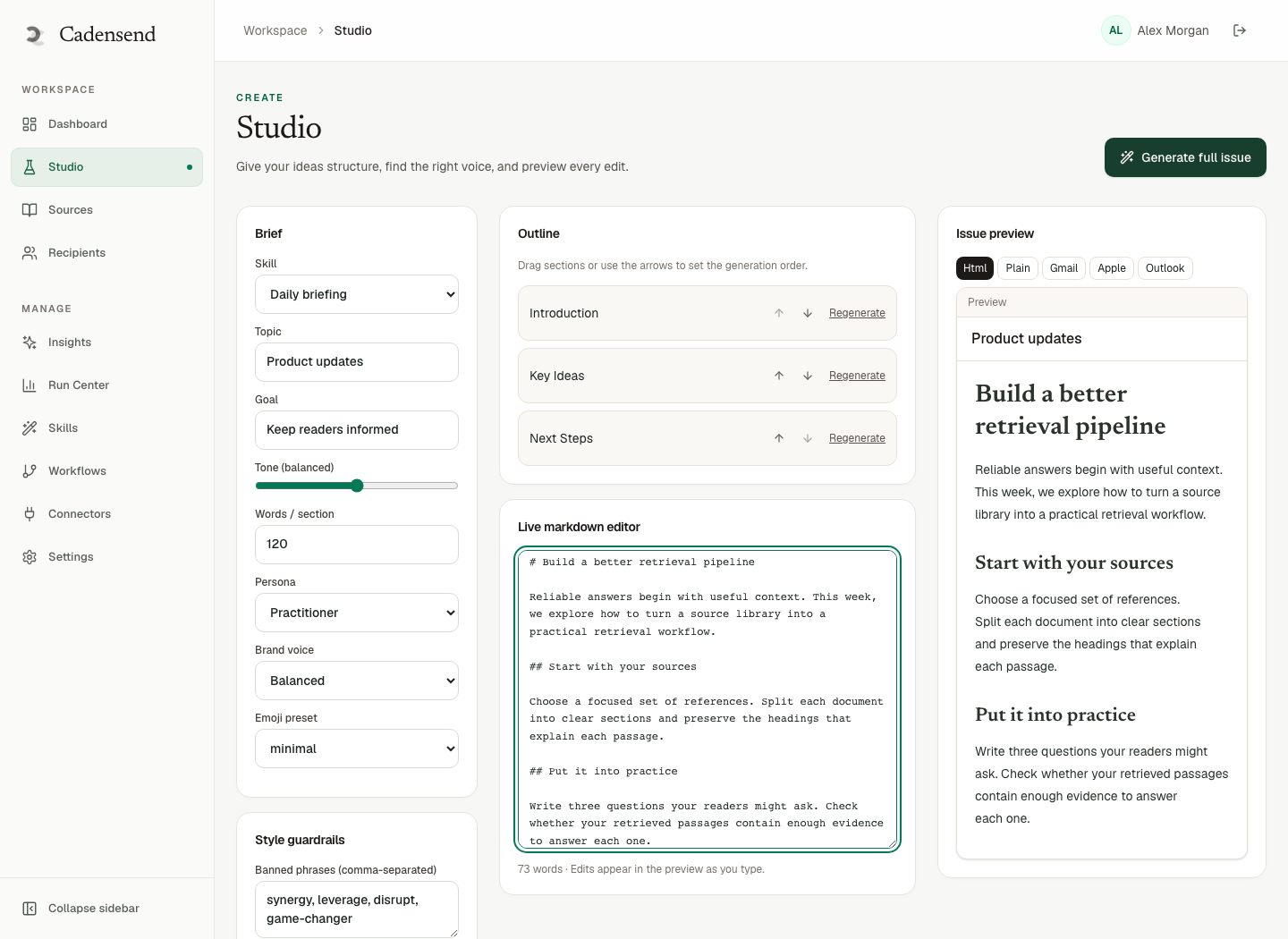
Cadensend is HinterBuild’s MIT open-source, self-hosted email curriculum engine. Plan the curriculum, Ground sources while keeping code blocks intact, Write a validated block AST (never raw HTML, never a model-made raster), then a deterministic renderer produces HTML and plain text. Deliver once. No hosted signup (GitHub). MVP sends to your verified address — send yourself the sample and paste it back. If that round-trip fails, the issue is not ready.
Key Takeaways:
- Keep samples short (about 8–20 lines); long listings belong in a linked file.
- Always ship a plain-text alternative that preserves indentation.
- Assume email CSS is a tiny, inconsistent subset; style
<pre>like it is 2008.- Do not teach from screenshots alone; they fail copy-paste and accessibility.
- Let a structured renderer emit HTML; never trust a model to write tables and
<pre>.- Test in the clients your learners actually use, on the same issue version you will lock.
Table of Contents:
- Why Email Breaks Code
- Length, Wrapping, and Cognitive Load
- HTML Patterns That Survive
- Plain Text Is the Source of Truth
- Python and Indentation Languages
- Diagrams, Not Fake Screenshots
- Ground, Write, Render — Do Not Prompt HTML
- Client QA and Exactly-Once Resends
- A Sample Spec for Authors
- Dark Mode, SQL, JSON, and Copy Myths
- Frequently Asked Questions
Why Email Breaks Code
Short answer: Email clients are not browsers. They rewrite HTML, strip CSS, and wrap preformatted text to fit a pane.
Campaign Monitor’s CSS support matrix is still the sobering reference for what you may not assume (CSS in email). Litmus’s coded-email guidance exists because “works in Chrome” is not a ship criterion (Litmus HTML email guide). <pre> and <code> are real HTML (MDN <pre>), but Gmail, Outlook desktop, Apple Mail, and mobile webviews disagree on overflow, tab width, and font.
What learners experience:
- A wrapped line that looks like a new statement.
- Tabs converted to a single space.
- Smart quotes around strings (
“hello”is not Python). - Linkification of
#comments orhttpinside strings. - Dark-mode inversion that turns syntax colors into unreadable sludge.
If your course is microlearning, a broken sample wastes the entire time-box. There is no TA in the thread.
Length, Wrapping, and Cognitive Load
Short answer: Short samples reduce wrap risk and load. Email is the wrong binder for a 200-line module.
PEP 8’s line-length culture exists partly so diffs stay readable (PEP 8). In email, aim even shorter: 64–72 characters per line if you can. Comments wrap first; identifiers do not.
Cognitive load theory still applies (Sweller): a 60-line dump is not “more complete”; it is a second lesson hiding in the first. Split issues. That is the same knife as a 21-day skill curriculum.
| Sample size | Use in email? | Alternative |
|---|---|---|
| 1–12 lines | Yes | — |
| 13–20 lines | Yes, with plain-text twin | Dual-column explanation above, not beside |
| 21–40 lines | Rare | Link a file; quote the 8-line heart |
| 40+ | No | Repository or gist |
Beginners need the whole runnable unit in-view (beginner vs intermediate). Intermediates can tolerate a diff plus a link. Neither needs a novel.
HTML Patterns That Survive
Short answer: Table-based layout for the letter, a <pre> with inline styles, monospace, small font, no tabs, no syntax-highlight spans you cannot test.
Practical pattern:
- Use a
<pre style="font-family:Consolas,Monaco,monospace;font-size:13px;line-height:1.4;white-space:pre;word-wrap:normal;overflow:auto;">— and accept thatoverflow:autois ignored in some Outlooks. - Prefer spaces. Never tabs.
- Avoid nested
<code>with background colors that invert in dark mode. - Do not put code in flex/grid.
- Do not rely on
:nth-childfor zebra lines. - URLs inside strings: break them with known techniques or use short placeholders (
https://example.com) you explain.
Cadensend Write returns a content tree, not HTML. A deterministic renderer produces the markup. That split is the whole point: models are bad at email HTML and good at choosing which 12 lines to show. It is the same idea as structured outputs.
If you author by hand, still keep a renderer or a template. Hand-tuned one-off issues drift.
Plain Text Is the Source of Truth
Short answer: Multipart email should include a text/plain part whose code is copy-pastable even if HTML is soup.
Cadensend’s renderer produces HTML and plain text from the same AST. Use that. Tell the learner in calm educational tone: “If the HTML wraps, copy from the plain-text version.”
Plain text rules:
- No smart quotes.
- Fence with a line of backticks or a
---so wrapping neighbors do not join the program. - Keep the same spaces as HTML.
- Do not replace indentation with bullets.
Retrieval tasks (“run this, send the output”) only work if paste works (Retrieval Practice).
Python and Indentation Languages
Short answer: Indentation languages are the worst-case clients. Design samples as if Outlook will attack them.
Rules for a Python beginner course:
- 4 spaces, always.
- Avoid deep nests in email; extract a function in the next issue.
- Show the traceback in its own
<pre>, not as a screenshot. - Never teach significant whitespace with a GIF.
- If you must show a class, wait until the series that has that exclusion lifted.
YAML, Haskell, and Make are similarly hostile. SQL is more forgiving but still hates wrapped keywords. Prerequisite order should delay indent-heavy constructs until the learner has survived two round-trips.
Ground on docs.python.org so you are not inventing syntax. Cadensend Ground preserves code and tables during ingestion — that is how citations can include real snippets instead of paraphrases that lose spaces.
Diagrams, Not Fake Screenshots
Short answer: Photos of IDEs are uncopyable and heavy. Spec-based diagrams can become PNG with alt text.
Cadensend can take Mermaid or D2 specs, render server-side to SVG, convert to PNG for email, and require alt text (diagrams-as-data, beta). That is the right direction: the model outputs a spec, not pixels it hallucinated. Pair with hallucination controls: a fake architecture PNG is still a fake claim.
Alt text should describe the flow, not say “diagram.” Accessibility is not optional (WCAG quickref).
Do not use a screenshot of VS Code as the only sample. Beginners on a phone cannot type from a photo of a theme.
Ground, Write, Render — Do Not Prompt HTML
Short answer: Ingest code-preserving sources, generate a tree, render, review. Prompting “output table-based email” is how you get nested <div> and an unclosed <pre>.
Cadensend’s writer is a bounded graph: retrieve, write, spec visual, critique, quality gate, revise within a hard limit. No arbitrary network, no code execution. Retrieved text is data, never instruction — relevant if a source blog includes HTML fragments or “paste this into your template.” See system prompts, agentic workflows, and AI agent development.
When converting a blog archive, CMS HTML is a contaminant. Re-encode samples through the AST. Syntax-highlighted <span> from the website will not survive Gmail.
Scoped retrieval (RAG systems) keeps the wrong repo’s snippets out of a beginner series.
Human review is the last compiler (human-in-the-loop gates). Look at the HTML and paste the plain text. Lock the issue in Plan/Content Studio so a regeneration does not “pretty-print” with tabs.
Client QA and Exactly-Once Resends
Short answer: Send the candidate to yourself, paste into the REPL, fix, bump issue version, send once more. Do not “also send the fixed one” as a duplicate lesson.
Cadensend Deliver writes the delivery record before the provider call and keys uniqueness on workspace, issue, recipient, and issue version. A corrected sample is a new version you approve. Retries of the same version will not double-send. That is pedagogical: two slightly different for loops on the same day is chaos.
Timezone-correct scheduling keeps the QA send and the “real” cadence aligned. Run Center surfaces failed jobs with stable error codes. MVP: your verified address only. Perfect for client QA. Not a bulk lab for the whole org — corporate training still dogfoods this way.
HinterBuild (about): contact if you need the renderer/queue designed beside your mail vendor.
A Sample Spec for Authors
Short answer: Paste this into issue tickets and into the writer constraints.
Code block rules:
- One block per issue unless contrasting two one-liners.
- Runnable or explicitly marked PSEUDO.
- <= 20 lines, <= 72 chars, spaces only.
- No smart quotes, no tabs, no trailing whitespace.
- Language tag in the AST (python, sql, text).
- Companion plain-text identical in whitespace.
- If longer, link file; quote 8 lines max in-email.
- Tracebacks in a separate pre.
- Diagrams via spec → PNG + alt, not IDE screenshots.
Objectives should mention the medium when it matters: objectives an AI can plan. “Paste and run” is a different objective than “read a screenshot.”
Dark Mode, SQL, JSON, and Copy Myths
Short answer: Dark mode will invert your syntax colors. SQL and JSON wrap on commas. There is no reliable copy-to-clipboard button in email. Design for that.
Dark mode. Many clients force light text on dark backgrounds and then invert image colors. Syntax highlighting that uses pale gray on white becomes pale gray on black. Keep <pre> at a single explicit color pair via inline styles, and still assume some clients will ignore you. Prefer no background on the pre block over a pretty terminal theme. Cadensend’s renderer should not emit a rainbow of <span> tokens until you have screenshots from Gmail, Outlook, and iOS Mail. HinterBuild would rather a boring monochrome sample that pastes than a theme that lies.
SQL. Keywords wrapping (LEFT on one line, JOIN on the next) teach a nonexistent statement. Put the join type on one line even if you violate your usual formatter. Aliases should be short. Do not paste EXPLAIN ANALYZE walls into email; that is a linked file. The 21-day JOIN curriculum only works if day 4’s LEFT JOIN survives the pane.
JSON. Trailing commas, smart quotes, and line wraps inside strings are the usual killers. Show a 6-line object, not a 2 KB payload. If the lesson is “missing key,” the sample should contain the missing key’s parent, not an entire OpenAPI document.
Copy myths. Gmail web does not give you a guaranteed clipboard widget. Instruct: select the plain-text part or the <pre>. On mobile, horizontal scroll in <pre> is clumsy — another reason to keep lines short. Do not tell beginners to “click copy” as if it were the docs site.
Linked files. Use a stable URL you control. Do not hotlink a gist you will delete. For blog-to-course conversions, old GitHub gists 404. Re-host the snippet next to the series sources so Ground and the learner see the same bytes.
Test SQL and JSON on the verified-address path the same as Python. Cadensend will not execute them. You are the compiler. If Outlook still wraps, split the issue. That is curriculum design, not a CSS defeat.
Frequently Asked Questions
Can I syntax-highlight in email?
You can try inline styles per token. Many clients will flatten them, and dark mode will sabotage contrast. A single color on <pre> is safer. Highlight in the linked file if you must.
What about Jupyter screenshots?
They are demonstrations, not samples. If the issue requires running code, include copy-pasteable text.
Will Cadensend execute the sample to verify it?
No. The writer has no code-execution tool. You run it locally during review. That is intentional sandboxing.
How do I handle libraries in snippets?
Import lines count toward length and toward exclusions. If pandas is excluded, the sample cannot import it “just for this demo.”
What if Outlook still wraps my 12-liner?
Shorten lines, reduce indent depth, point at plain text, or move to a linked file. Do not add more CSS you have not tested.
Can learners reply with code?
They can try; inbound code in replies is a different product. The MVP is outbound to your verified address. Do not design the whole course around inbound highlighting.
Is a gist link enough without an in-email sample?
For intermediates, sometimes. For beginners, no — the issue should contain a complete tiny program even if a gist holds extras.
Conclusion
- Email-safe code is short, spaced, dual-format, and renderer-emitted — not model HTML.
- Indentation languages need extra conservatism and a paste test on your own inbox.
- Diagrams should be specs rendered to PNG with alt text, not IDE photography.
- Version, approve, send once; use Cadensend to Plan, Ground, Write, and Deliver that loop.
Clone the repo. Talk to HinterBuild via contact or LinkedIn.
Free consultation
Book a free consultation call on code in HTML email
30-minute call with the HinterBuild team. Discuss your project, architecture questions, or next steps — no obligation.
Book a meeting
Keep reading
Related articles
Corporate Training by Email Without an LMS
Run corporate training by email without an LMS: scoped curricula, source-grounded issues, human review, and honest limits vs compliance platforms.
Read post
Turn PDF Notes Into an Email Course
Turn PDF notes into an email course: ingest documents, plan modules, ground every claim, and schedule issues with real citations.
Read post
Daily Email Course: Learn Anything From Sources
Build a daily email course from one learning goal and your own sources. Plan modules, cite claims, and deliver each issue exactly once.
Read post
Convert a Blog Archive Into an Email Course
Convert a blog archive into an email course by resequencing posts into objectives, pruning leftovers, grounding citations, and scheduling spaced issues.
Read post