
Corporate Training by Email Without an LMS
Run corporate training by email without an LMS: scoped curricula, source-grounded issues, human review, and honest limits vs compliance platforms.

Muhammad Abdul Sami
· 12 min read
- Corporate Training
- Email Courses
- Curriculum Design
Corporate training by email without an LMS works for skills that need spacing and source-true explanations, not for the problems an LMS actually solves: transcripts, SCORM packages, and regulator-facing completion flags. Most companies buy an LMS because they need a system of record, then try to make it a teacher. The teacher is still a sequence of issues someone has to design. This guide separates those jobs, shows an email-native training loop, and states Cadensend’s current send limits without theater.
Cadensend is HinterBuild’s MIT open-source email curriculum engine: self-hosted, no hosted signup, source on GitHub. It Plans a curriculum from a learning goal, Grounds every issue in files and URLs you supply, Writes a validated content tree, and Delivers approved issues exactly once. The MVP sends only to your verified address. It is not a bulk-email provider, CRM, or marketing suite. Company-scale audiences, SSO, and audit export are later roadmap layers — say that in the kickoff meeting, not in a footnote after legal asks.
Key Takeaways:
- Use email when the bottleneck is instruction design and retention; keep the LMS (or HRIS) when the bottleneck is compliance evidence.
- Write one observable job-task per series; “complete module 4” is not a skill.
- Ground issues in the policy PDF that legal signed, not in last year’s slide deck.
- Require human approval before any send; training email is an official voice.
- Self-host so training sources never sit in a mystery SaaS tenant you did not review.
- Do not pretend the current Cadensend build can blast the company directory.
Table of Contents:
- What an LMS Is For
- What Email Training Is For
- Pick Skills That Fit a Series
- Design the Corporate Brief
- Ground in Policy and Runbooks
- Review Chains and Official Voice
- Delivery, Consent, and Honest Scope
- A Two-Track Operating Model
- Worked Example: Incident Comms
- What to Measure Without LMS Analytics
- Frequently Asked Questions
What an LMS Is For
Short answer: An LMS is a system of record for assignments, completions, and sometimes SCORM/xAPI packages. It is a weak daily tutor.
If your regulator asks “who finished harassment training in Q3,” you need records, identity, and a completion definition. That is LMS / HRIS territory. SCORM exists to package interoperable e-learning (SCORM overview). Email does not replace that package format.
Where LMS implementations fail as teaching:
- Modules are 40-minute slide videos nobody retrieves next month.
- Search is worse than the intranet wiki.
- Authors write for the SCORM wrapper instead of for memory.
- “Completion” means clicked Next, not produced a behavior.
Kirkpatrick’s model still asks whether training changed behavior, not only whether it was attended (Kirkpatrick Model). Email curricula can target behavior change for a narrow skill. They should not fake Level 3 evaluation with open rates.
What Email Training Is For
Short answer: Email is for spaced, cited, job-task issues that arrive in the tool employees already check — with a design that looks like microlearning, not a binge archive.
Good fits:
- New query pattern the data team must use next quarter.
- How to file an incident with the current severity rubric.
- A 21-day skill curriculum for a single tool.
- Translating an internal blog / RFC archive into a sequence (blog to email course).
Bad fits:
- Annual compliance click-throughs that must bind to an identity provider.
- Simulations that need a sandbox and a proctor.
- Anything you must prove was seen by a named employee last Tuesday.
Cadensend’s positioning is deliberate: one learning goal → structured series → reliable, exactly-once delivery. Not a talent suite. If you need agents, retrieval, or approval UX around that, HinterBuild’s AI agent development and RAG and LLM systems practices are the engineering layer — still not an LMS.
Pick Skills That Fit a Series
Short answer: If you cannot write a day-N performance sentence, you do not have an email course. You have a comms campaign.
Use backward design (Understanding by Design). Example:
By issue 8, an on-call engineer writes a first customer update that includes impact, next check time, and what is not yet known — matching the public comms policy section 4.
That is testable in a tabletop. “Understand our culture of reliability” is not.
Audience level is a HR reality. New grads and staff engineers should not share a series unless the series is truly both. See beginner vs intermediate email courses. Mixing them produces tone problems: seniors skim, juniors drown. Educational tone for corporate mail should be closer to an internal RFC than a newsletter brand voice.
Prerequisite ordering matters more in companies because people skip. If issue 4 assumes a VPN pattern taught in issue 2, say so in the issue, and validate the plan graph. Cadensend’s Plan stage checks coverage and prerequisites, then revises when validation fails.
Design the Corporate Brief
Short answer: Capture topic, inclusions, exclusions, outcome, audience, cadence, timezone, and tone before anyone generates prose.
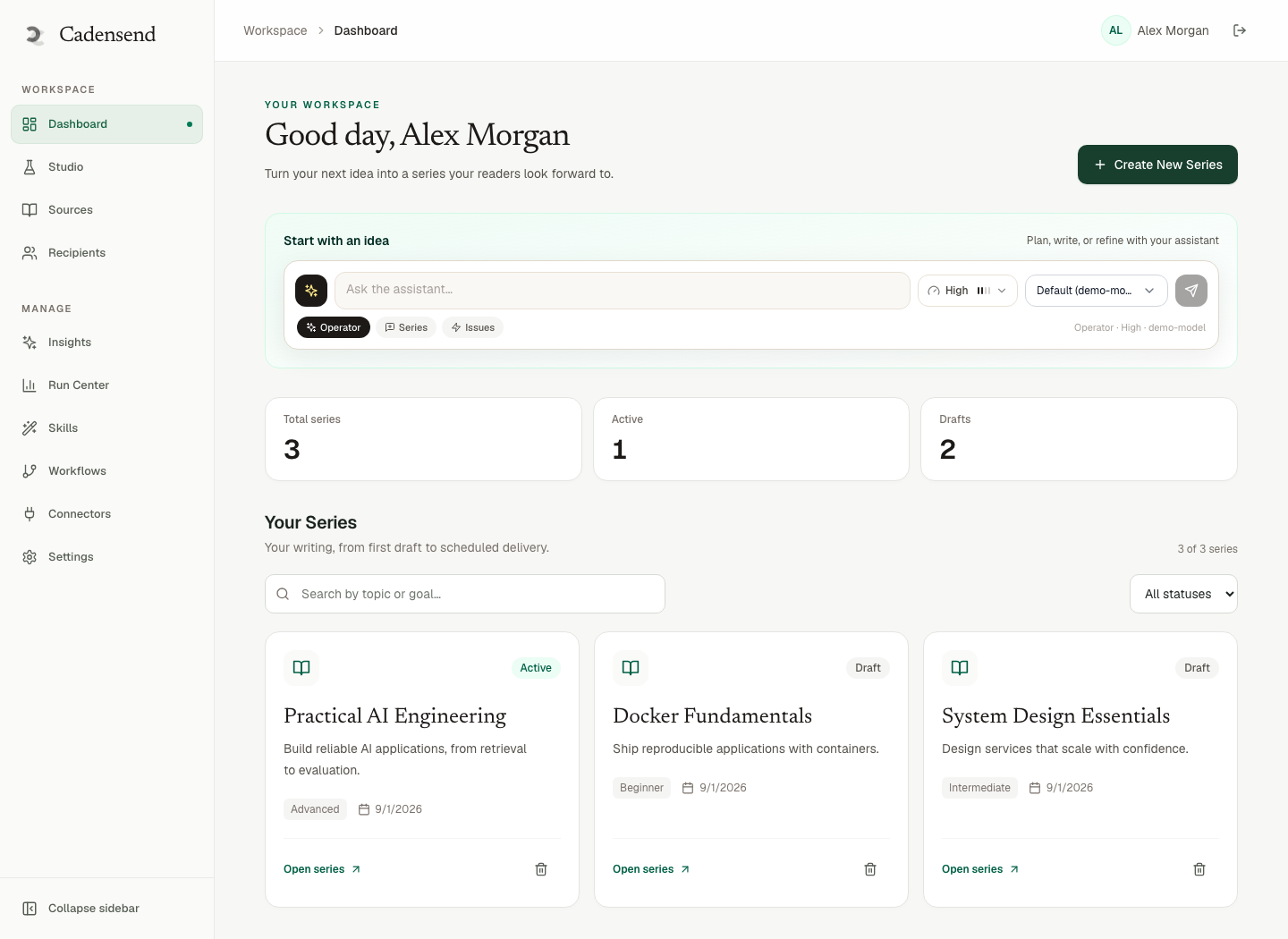
That list is Cadensend’s Create Series wizard. It is also a good RACI document:
- Inclusions: severity labels, template fields, link to status page.
- Exclusions: legal theories, vendor sales pitches, last year’s PagerDuty UI.
- Cadence: three issues per week in
America/New_York, not “whenever content is ready.” - Tone: “plain, no jokes about outages, no exclamation marks.”
Write exclusions. Generators “helpfully” add culture fluff. Learning objectives an AI can plan from is the detailed method. System prompt design patterns belong in the writer graph; they do not replace a brief.
For Python upskilling, the brief must say “no production deploys in series 1” or you will get Kubernetes in week one because someone indexed an internal blog post.
Ground in Policy and Runbooks
Short answer: The source of truth is the signed policy and the runbook in git, not the deck from the offsite.
Training hallucinations become operational incidents. Treat them like LLM hallucinations: retrieval, citations, human review. Cadensend Ground ingests uploads and URLs, preserves headings, keeps tables and code, stores section anchors, and renders citations deterministically so the model cannot fabricate links. Retrieval is scoped to workspace and series.
Security properties that matter in a company:
- Retrieved content is data, never instruction.
- No tool escalation from ingested text.
- SSRF controls, size/type limits, sanitization on fetch and upload.
- Workspace isolation in repository queries.
- Redacted logging of prompts and source text.
Those are the same instincts as human-in-the-loop approval gates. Do not let a writer agent browse the live web “to be helpful.” Cadensend’s writer has no arbitrary network or code execution. Agentic workflows stay bounded.
If legal will not let policy PDFs leave the VPC, self-hosting is the point. Cadensend has no hosted signup. You run it. HinterBuild (about) built it to be cloned, not rented as a mystery classroom in the cloud.
Review Chains and Official Voice
Short answer: L&D, domain owner, and comms should approve issue 1’s voice; then lock it. Later issues inherit.
Corporate email is the company. A sarcastic example in a security series will be screenshotted. Cadensend Write returns a content tree you edit in Content Studio: subject, preheader, section regenerate, diffs against version history. Plan Studio locks approved issues so a regeneration of week three cannot mutate the blessed week one.
Run Center states include awaiting review. Use them. Idempotent delivery is keyed on workspace, issue, recipient, and issue version — retries cannot double-send a policy update. Double-sends in a company are not a cute analytics bump; they are a credibility hit.
You still need a human even when the HTML looks fine. That is not process theater. It is how you keep code samples from teaching an internal API that was removed in March.
Delivery, Consent, and Honest Scope
Short answer: Today, Cadensend delivers to your verified address. Staff-scale sending needs consent, suppression, and identity work that is explicitly later.
Cadensend Deliver uses a durable Postgres queue (FOR UPDATE SKIP LOCKED), writes the delivery record before the provider call, and keeps timezone intent across DST. Those are the right primitives for training. They are not a license to import the company CSV.
Roadmap (public, not vapor hiding in the binary):
| Release | Focus | Audience |
|---|---|---|
| MVP (current) | Plan, grounded generation, schedule, send to one verified recipient | Individual learner / creator |
| Later updates | Consent, unsubscribe, analytics, segments, quizzes | Newsletter / learning business |
| Company-oriented update | Roles, approval chains, SSO/SAML/SCIM, audit export, residency | Training teams |
CAN-SPAM still applies to commercial messages in the U.S. (FTC CAN-SPAM guide). Internal training is a different legal fact pattern than marketing, but unsubscribe and identity problems do not vanish because you called it L&D. Do not improvise a list send on top of the MVP.
If you need a staff rollout today, use your existing mail system or LMS for distribution, and use Cadensend to author and dogfood the curriculum on the owner’s verified inbox. That is a clean split. When you want engineering help designing that split, contact HinterBuild.
A Two-Track Operating Model
Short answer: LMS stores completions; email (or Cadensend-authored HTML) teaches. Do not make either system pretend to be the other.
Track A — Record: who was assigned, who completed, exceptions, manager sign-off.
Track B — Teach: sequenced issues, retrieval tasks, citations, review.
Open rates are not Kirkpatrick Level 3. If you need behavior evidence, add a work sample: a PR, a filled template, a tabletop score. Quizzes appear on Cadensend’s later learning-business update, not as a reason to skip a work sample now.
Cost: Cadensend itself is free (MIT). You pay LLM, email provider, and infra. An LMS invoice does not include a curriculum designer. Budget the designer.
Worked Example: Incident Comms
Short answer: Eight issues, grounded in the public comms policy, dogfooded by the program owner, then copied into whatever mail path legal already approved.
| Issue | Objective | Source |
|---|---|---|
| 1 | Name the three fields every first update needs | Policy §4 |
| 2 | Distinguish impact vs cause | Policy §4.2 + postmortem guide |
| 3 | Write “what we don’t know yet” without speculation | Policy §5 |
| 4 | Choose next-update time you can keep | On-call runbook |
| 5 | Recap retrieval: repair a bad draft | Issues 1–4 |
| 6 | Severity language vs legal “admission” myths | Legal FAQ |
| 7 | Status page vs email vs Slack | Comms matrix |
| 8 | Tabletop: 15-minute draft | Mixed |
No binge PDF on day 0. Optional packet after issue 8. Program owner receives every issue at 8:00 in the operations timezone via the MVP verified-address path, edits in Studio, locks, then exports or reimplements distribution on the corporate mail stack until product list-sending exists.
For code-heavy internal tools, the same spine as teach Python via email applies, with stricter exclusions.
What to Measure Without LMS Analytics
Short answer: Measure work samples and error-rate changes, not open rates. Email engagement is a delivery health check, not learning evidence.
A training owner who only watches opens will optimize subject lines. That is marketing. Kirkpatrick still asks whether behavior on the job changed (Kirkpatrick Model). Practical substitutes when you have no LMS dashboard:
- Work sample: the tabletop draft, the query, the PR checklist — scored with a rubric that matches the terminal learning objective.
- Time-to-correct: how long until a known-bad template disappears from Slack. That is a lagging indicator, but it is real.
- Author dogfood log: you received every issue on the verified address; note where you stalled. That log is the next plan revision.
- Citation drift: if Ground’s sources changed and unlocked issues still quote section numbers that moved, you have a freshness bug, not a motivation bug.
Cadensend’s later updates mention analytics and quizzes. Do not wait for them to start measuring. A spreadsheet of rubric scores from eight tabletops beats a vanity open-rate. Evaluation-driven development is the same habit: write the check before you generate more issues.
If security training is the series, pair the email track with a staged phishing drill only if legal and comms approve — and never let the writer agent invent the drill copy. Ground on the approved script. Retrieved content stays data, never instruction.
Frequently Asked Questions
Can email replace our LMS this year?
It can replace the LMS as teacher for a few skills. It cannot replace the LMS as record if you need named completions. Run both on purpose.
Is Cadensend a corporate training platform today?
It is a self-hosted curriculum engine. MVP delivery is one verified address. Company features (roles, SSO, audit export) are later. Read the product page and repo before a vendor comparison slide.
How do we keep training aligned with policy changes?
Re-ingest the new PDF, regenerate unlocked issues, keep locked issues until an owner unlocks them, and re-approve. Citations should move with section anchors.
What about employees who do not read email?
Then email is the wrong channel for that population. Do not “solve” it with a 2,000-word issue. Use the standup, the tool UI, or a short live drill.
Can the model fetch our Confluence live during send?
Cadensend’s writer does not have arbitrary network access. Ingest first, then generate. That is a safety property, not a missing plugin.
Who owns tone if L&D and engineering disagree?
Put tone in the series brief and lock issue 1 after a joint review. Do not argue in regenerations.
Is self-hosting required?
For Cadensend, yes — there is no hosted signup. That is how you keep runbooks inside your boundary. HinterBuild does not operate a classroom SaaS for this product.
Conclusion
- Corporate training without an LMS is viable for spaced, cited skill series — not for compliance transcripts.
- Brief, ground, approve, lock, dogfood on one verified inbox.
- Keep distribution honesty: Cadensend is not a bulk sender today.
- Pair with an LMS or HRIS when you need records.
See Cadensend, clone the repo, or talk to HinterBuild. The engineering team is on LinkedIn.
Free consultation
Book a free consultation call on email corporate training
30-minute call with the HinterBuild team. Discuss your project, architecture questions, or next steps — no obligation.
Book a meeting
Keep reading
Related articles
Turn PDF Notes Into an Email Course
Turn PDF notes into an email course: ingest documents, plan modules, ground every claim, and schedule issues with real citations.
Read post
Daily Email Course: Learn Anything From Sources
Build a daily email course from one learning goal and your own sources. Plan modules, cite claims, and deliver each issue exactly once.
Read post
Convert a Blog Archive Into an Email Course
Convert a blog archive into an email course by resequencing posts into objectives, pruning leftovers, grounding citations, and scheduling spaced issues.
Read post
Beginner vs Intermediate Email Course Design
Design beginner vs intermediate email courses with different priors, examples, tone, and prerequisite graphs — not the same outline with harder homework.
Read post