
Teach Python to Beginners Through Email Courses
Teach Python to beginners with a source-grounded email course: small syntax loops, safe code samples, prerequisites, and a cadence they can finish.

Muhammad Abdul Sami
· 13 min read
- Python
- Email Courses
- Beginner Curriculum
You can teach Python to beginners via email if you treat each message as one syntax move plus one tiny program, not as a portable textbook. Beginners do not fail because they missed a chapter on object internals. They fail because day three assumed day twelve, the code sample wrapped in Outlook, and the examples used libraries the brief promised to exclude. This guide is a complete design for a beginner Python email course: outcomes, prerequisite order, issue templates, grounding in official docs, and delivery you can test on yourself.
Cadensend is HinterBuild’s MIT-licensed, self-hosted email curriculum engine. It Plans a series from a learning goal, Grounds issues in sources you supply (keep code blocks intact), Writes a validated content tree instead of raw HTML, and Delivers approved issues exactly once. No hosted signup — clone GitHub. The MVP sends only to your verified address, which is how you should debug a beginner track before anyone else sees a traceback in their inbox.
Key Takeaways:
- Teach one runtime mental model at a time: names, control flow, then data, then functions — not “Python in 21 greetings.”
- Ground every syntax claim in the official tutorial or your lab notes; never invent flags.
- Keep samples under ~20 lines and email-safe; long listings belong in a linked file.
- Name exclusions in the brief (
no pandas,no classes until series 2) so the planner cannot “enrich” week one.- Use retrieval tasks beginners can run in a REPL without a project skeleton.
- Lock approved issues and require human review; a wrong indentation example will be copied forever.
Table of Contents:
- What Beginners Can Learn by Email
- Write an Observable Python Outcome
- Prerequisite Order for a First Series
- The Daily Python Issue Template
- Code Samples That Survive Email
- Ground on Docs, Not Vibes
- Audience, Tone, and Feedback
- Plan, Write, Approve, Deliver
- A 15-Issue Beginner Map
- Frequently Asked Questions
What Beginners Can Learn by Email
Short answer: Email can install syntax habits, error-reading, and tiny programs. It cannot replace a supervised lab for packaging, virtualenvs, and “your first web app.”
Be honest about the medium. A beginner who has never seen a traceback needs short, repeated contact with NameError and IndentationError, not a tour of the import system. That is microlearning rather than binge learning. A weekend project can come after the series, as transfer, not as issue 1.
What belongs in series 1:
- Running
python/ a REPL and quitting it. - Expressions vs statements at a practical level.
- Names, assignment, and mutability as “I rebound the name” rather than a CS lecture.
if/else,forover a list,defwith one return.- Reading a traceback’s last frame.
listanddictliterals they will actually type.
What belongs in series 2 or a workshop:
- Packaging,
venv, editors beyond “paste this.” - Classes, decorators, async.
- pandas, FastAPI, pytest fixtures.
- Anything that needs a multi-file tree on day one.
If you need the second series, design it as a second curriculum with an entry test, following prerequisite ordering for self-paced courses. Do not grow series 1 until it is a bootcamp in a trench coat.
Write an Observable Python Outcome
Short answer: “Comfortable with Python” is not an objective. “Write a 15-line script that reads a list of dicts and prints a filtered table” is.
Backward design still applies (Understanding by Design). Pair it with Bloom-style verbs you can see (Vanderbilt Bloom’s Taxonomy): write, trace, repair, explain — not understand.
Example series outcome:
By the last issue, the learner writes a script that loops over a list of dictionaries, filters on one key, and prints two columns, then explains one
KeyErrorthey caused on purpose.
That sentence is something Cadensend’s Plan stage can validate for coverage. It is also something you can put in learning objectives an AI can plan. If the planner fills week one with dunder methods, your objective was too vague or your exclusions were missing.
PEP 8 is a source, not a personality (PEP 8). Teach “why 79–88 characters and snake_case” as a two-issue habit, not as a style war. Beginners need a default.
Prerequisite Order for a First Series
Short answer: Order by what the next issue’s code literally contains, not by how textbooks chapterize the language.
A workable spine:
- REPL and arithmetic expressions
- Strings and printing
- Variables / names
- Booleans and
if - Lists and
for - Index errors as a teaching tool
- Dictionaries and
KeyError - Functions with one argument and a return
- Tracing a two-function program
- Small mixed retrieval
Classes before functions is a common generator failure. So is *args before a single parameter. Cadensend checks coverage and prerequisite ordering on the plan and revises when validation fails. Do a manual pass anyway: if issue 6’s sample calls a function, issue 5 must have taught def.
This is the same graph problem as agentic workflows: implicit edges become runtime failures. Here the runtime is a beginner’s confidence.
| If the sample contains… | You must already have taught… |
|---|---|
for x in xs: | lists (or another iterable) and indentation |
person["name"] | dict literals and key access |
def greet(name): | names, return or print, indentation |
open("f.txt") | probably not series 1 unless files are the outcome |
from pathlib import Path | a later series |
The Daily Python Issue Template
Short answer: Hook with the error, show 8–15 lines, ask them to change one thing, cite the doc section.
- Subject:
Python Day 4: if needs a bool, not a string - Preheader:
8-minute REPL task — no files - Hook: Paste a real mistake:
if name:vsif name == "Ada":confusion. - Teach: 250–400 words. One idea.
- Code: One block, complete enough to run, small enough to see.
- Task: Change one literal or add one
elif. Time-box it. - Cite: Link the tutorial section you used.
- Bridge: Tomorrow’s dependency in one sentence.
Retrieval beats rereading (Retrieval Practice). “Reply with your output” works when you are sending to yourself in the MVP. For a future audience, a linked form or “write it in the REPL, keep the session” is enough. Do not require Git on day two.
A 21-day skill curriculum can wrap this template; many Python beginner series should be shorter than 21 if the outcome is a 15-line script. Extra days should be reappearance, not new chapters. See beginner vs intermediate email courses before you “just add comprehensions.”
Code Samples That Survive Email
Short answer: Short, ASCII, no tabs-vs-spaces surprises, and a plain-text alternative. Long listings do not belong in HTML email.
Email clients still mangle whitespace. Indentation is the language. Read the companion post code samples in email without breaking before you ship a class-based example. Practical rules for Python issues:
- Prefer 4 spaces, never tabs, in the source you generate.
- Wrap comments, not code, if a line is long; PEP 8’s line length exists for a reason.
- Avoid
from __future__unless that is the lesson. - Show the traceback in a second
<pre>rather than a screenshot you cannot copy. - Cadensend Write emits a block AST rendered deterministically to HTML and plain text. Use the plain-text part as the copy-paste path.
Diagrams of control flow should not be the only explanation. Cadensend can render Mermaid/D2 server-side to SVG then PNG for email (beta), with required alt text. For beginners, a six-line program beats a flowchart they cannot run.
Ground on Docs, Not Vibes
Short answer: Index the official tutorial and your lab notebook. Do not index a decade of random blog posts unless you have filtered them.
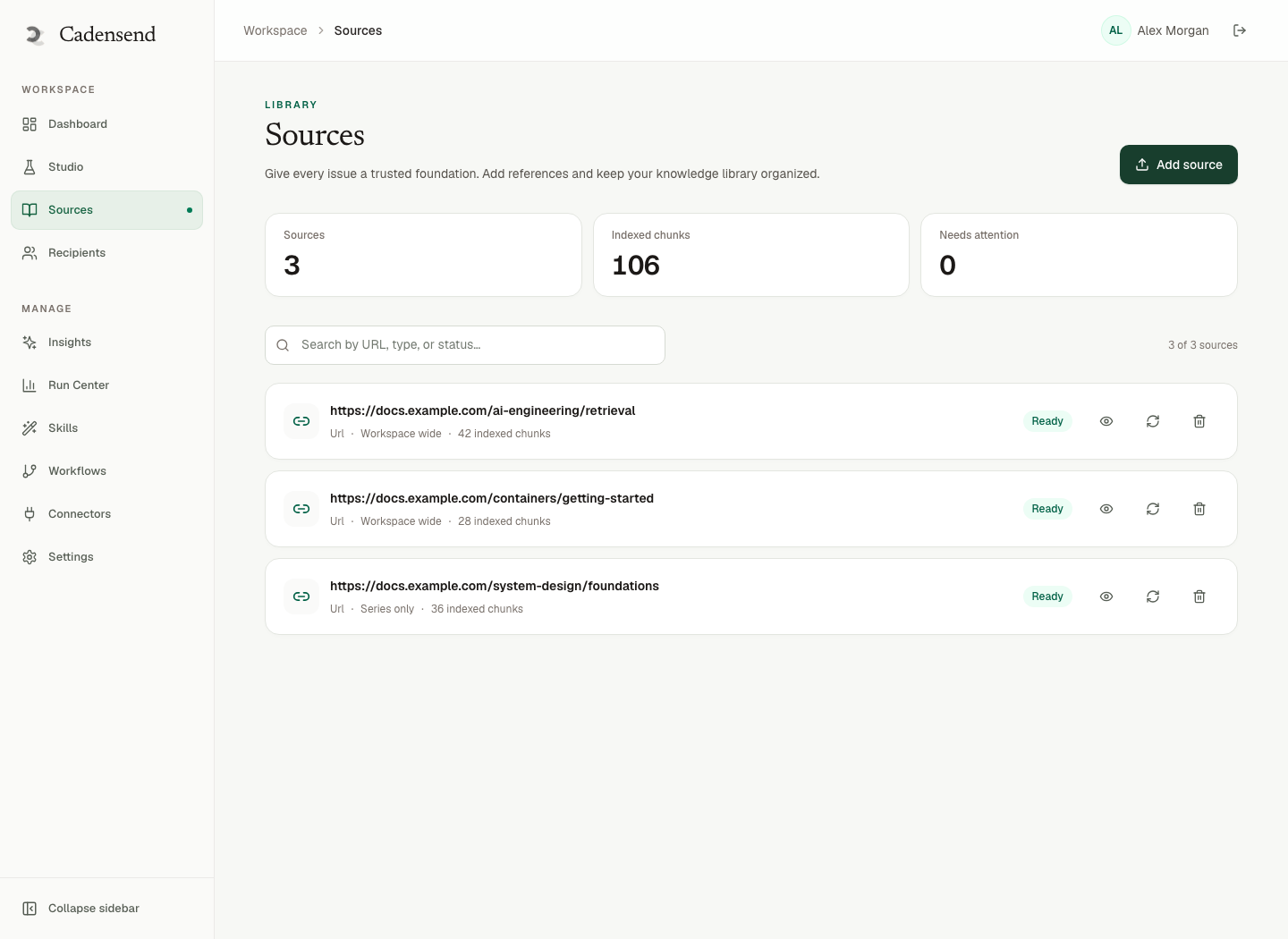
Ungrounded models invent parameters and mix Python 2 with 3. That is a hallucination problem with extra harm because beginners cannot detect it. Cadensend Ground uploads files or URLs, preserves heading hierarchy, keeps code and tables, and stores section anchors so citations point at a real location. Queries are scoped to workspace and series, then diversified by source.
Primary sources for series 1:
- The Python Tutorial
- PEP 8 for naming and line length only
- Your own “mistakes we saw in office hours” notes
Exclude Stack Overflow dumps and old Python 2 HOWTOs. Cadensend is built so retrieved text is data, never instruction, and the writer has no arbitrary network or code execution. That matters when ingested pages contain “ignore previous instructions.” The same boundary shows up in our RAG and LLM systems work and prompt-injection-aware agents.
If your “course” is secretly a blog archive, do the conversion properly: blog archive to email course. Most 2018 Python posts will fight your beginner exclusions.
Audience, Tone, and Feedback
Short answer: Beginner tone is precise and calm, not cutesy, and never sarcastic about “trivial” errors.
IndentationError is not trivial if it is your first language. Educational email tone should sound like a patient senior engineer, not a mascot. Cadensend captures tone and audience level in the Create Series wizard. Set them once. Lock early issues so later regenerations cannot suddenly say “obviously.”
Do not use system prompts that say “be fun and use lots of emojis” unless that is a brand you will still respect on the traceback day. Fun is optional. Accuracy is not.
Feedback in MVP: you are the learner. Keep a running list of where you stalled. That list is the next revision of the plan — the same loop as evaluation-driven development applied to teaching.
Plan, Write, Approve, Deliver
Short answer: Brief → validated plan → grounded draft → human approve → schedule → exactly-once send to your verified address.
Cadensend’s Plan uses a LangGraph planning graph, then validates coverage and prerequisites. Plan Studio reorders issues, edits objectives, and locks approved issues so they survive regeneration. Write is a separate bounded graph: retrieve, write, spec visual, critique, quality gate, revise within a hard limit. That is AI agent development with a leash, not an autonomous tutor that browses and runs code.
Deliver writes the delivery record before the provider call. Retries return the original attempt. Timezone-correct scheduling keeps “Tuesday 7:30 in Europe/Berlin” stable across DST. Run Center shows generating, awaiting review, scheduled, sending, failed.
HinterBuild (about) ships this as open source. You pay LLM, email provider, and hosts. If you want help with retrieval quality or approval UX, contact us.
Reminder: not a bulk sender. You cannot mail the company Python 101 from the current build. That is a feature while the curriculum is still lying to you about how long “8 minutes” is.
A 15-Issue Beginner Map
Short answer: Copy this, then delete anything that is not in your outcome sentence.
| Issue | Teaches | Retrieval |
|---|---|---|
| 1 | REPL, +, *, quit | Compute a total in the REPL |
| 2 | Strings, quotes, print | Print a two-line receipt |
| 3 | Names and assignment | Swap two names with a temp |
| 4 | bool, ==, if/else | Classify a number as odd/even |
| 5 | Recap 1–4 mixed | Four one-liners, no new syntax |
| 6 | Lists, append, len | Build a three-item list from literals |
| 7 | for item in list | Sum numbers in a list |
| 8 | Indexing and IndexError | Repair a traceback we send |
| 9 | Dict literals and keys | Read email from a user dict |
| 10 | KeyError and .get | Choose get vs raise, explain |
| 11 | def, return | Wrap the sum in a function |
| 12 | Two functions, one call chain | Trace values on paper |
| 13 | Mixed: list of dicts | Print names from records |
| 14 | Mini script in one file | Filter + print two fields |
| 15 | Capstone + “what I still confuse” | Teach-back paragraph |
No classes. No pandas. No *args. If you want a 21-day version, add rest days and reappearance of KeyError and for, following the 21-day skill curriculum pattern — do not add asyncio.
Frequently Asked Questions
Can complete beginners learn Python only from email?
They can learn a first working subset: REPL, control flow, lists, dicts, functions. They still need a machine with Python installed and, later, a human or forum for messy environment issues.
Should I start with Jupyter or a REPL?
For email, prefer a REPL or a single .py file. Notebooks add UI surface that you cannot debug in HTML. Mention Jupyter as optional, not required.
How do I handle different Python versions?
Pin the series to 3.11+ or “whatever python3 is on your machine if it is 3.10+.” Ground on matching docs. Do not mix f-strings with % formatting unless the issue is about that mix.
Does Cadensend run the learner’s code?
No. The writer has no code-execution tool. Learners run code locally. The engine Plans, Grounds, Writes, and Delivers email. It is not an autonomous lab agent.
Who receives a beginner Python series today?
Your verified address only. Use that to finish the samples and timings. List sending is a later, consent-gated roadmap item.
What about video?
A two-minute screen capture of the REPL can supplement, not replace, the copy-paste sample. Email should still stand if the video is blocked.
How is this different from Automate the Boring Stuff?
Books can binge. Email should space. You can ground on a book you have rights to as a source, then still issue one skill per send.
Conclusion
- Teach Python to beginners via email as a sequence of runnable micro-loops, not a serialized manual.
- Order by what the next sample contains; exclude the rest by name.
- Ground in official docs, keep code email-safe, approve before send.
- Dogfood on your verified inbox until the “8-minute” issue is actually 8 minutes.
Start with Cadensend, the repo, or a consult. HinterBuild Engineering is on LinkedIn.
Free consultation
Book a free consultation call on Python email courses for beginners
30-minute call with the HinterBuild team. Discuss your project, architecture questions, or next steps — no obligation.
Book a meeting
Keep reading
Related articles
Teach With Sources, Not AI Vibes in Email
Teach with sources, not AI vibes: ground every educational email in files you supply, with citations the model cannot fabricate.
Read post
Microlearning vs Binge Learning in Email Courses
Compare microlearning and binge learning in email courses, and design daily issues that space practice instead of dumping a weekend archive.
Read post
Custom GPTs vs Projects vs Email Courses
Custom GPTs vs Projects vs email courses: when to use a chatbot wrapper, a file pack, or a sourced, self-hosted email curriculum you will actually finish.
Read post
Write a 7-Day Email Onboarding Course
Write a 7-day email onboarding course with objectives, sources, and exactly-once delivery — without treating a curriculum engine like a CRM.
Read post